Tools Used
- Microsoft Purview Data Loss Prevention (DLP)
- Microsoft 365 E5
- Exchange Online, SharePoint Online, OneDrive, Microsoft Teams
- Sensitive Info Types: SSN, Medical Identifiers, ICD codes, custom HIPAA classifiers
📌 Summary
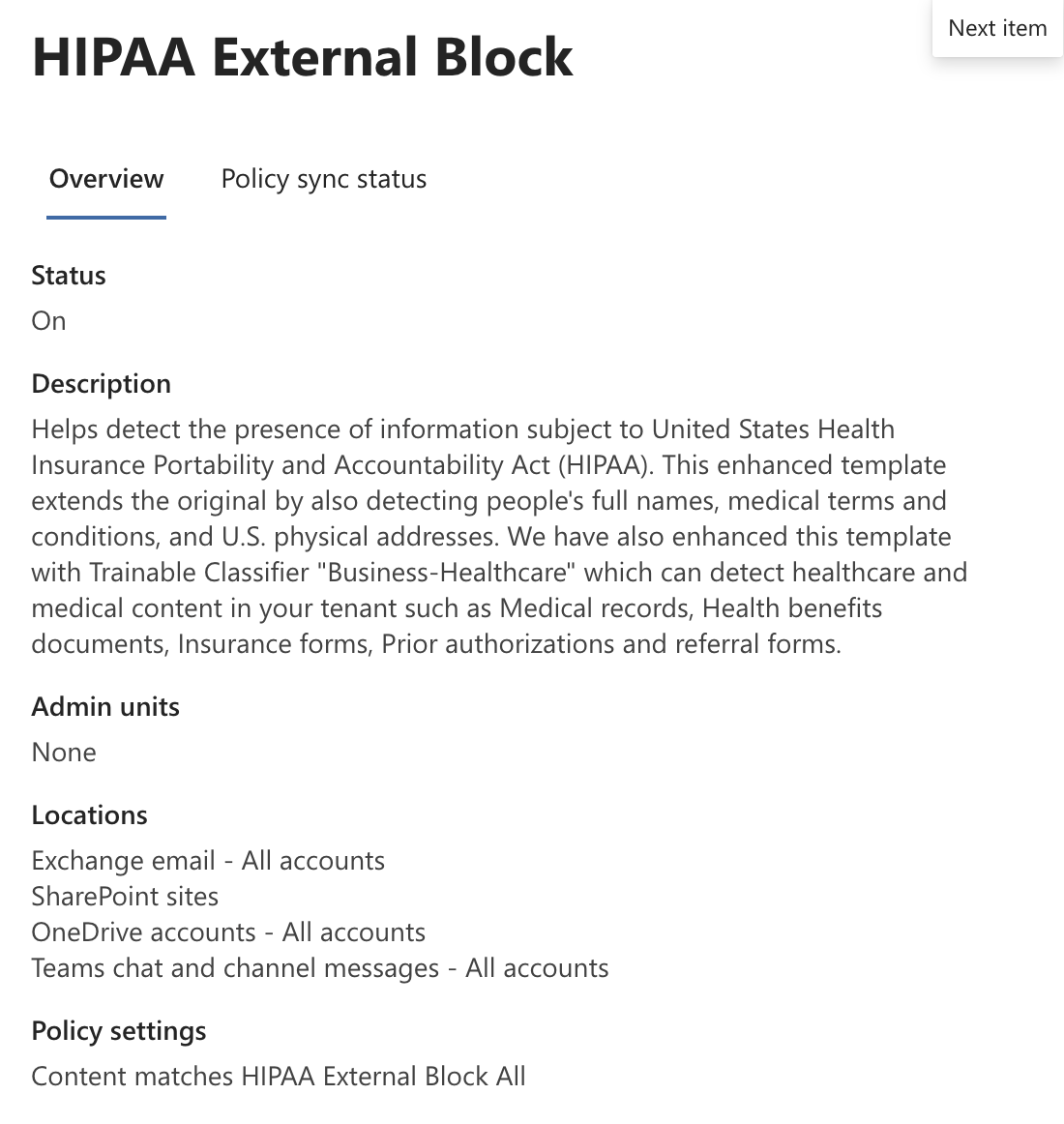
This lab demonstrates a single-policy design that blocks any external sharing of PHI across Exchange, SharePoint, OneDrive and Teams.
⚙️ Approach
- Create one DLP policy named HIPAA External Block.
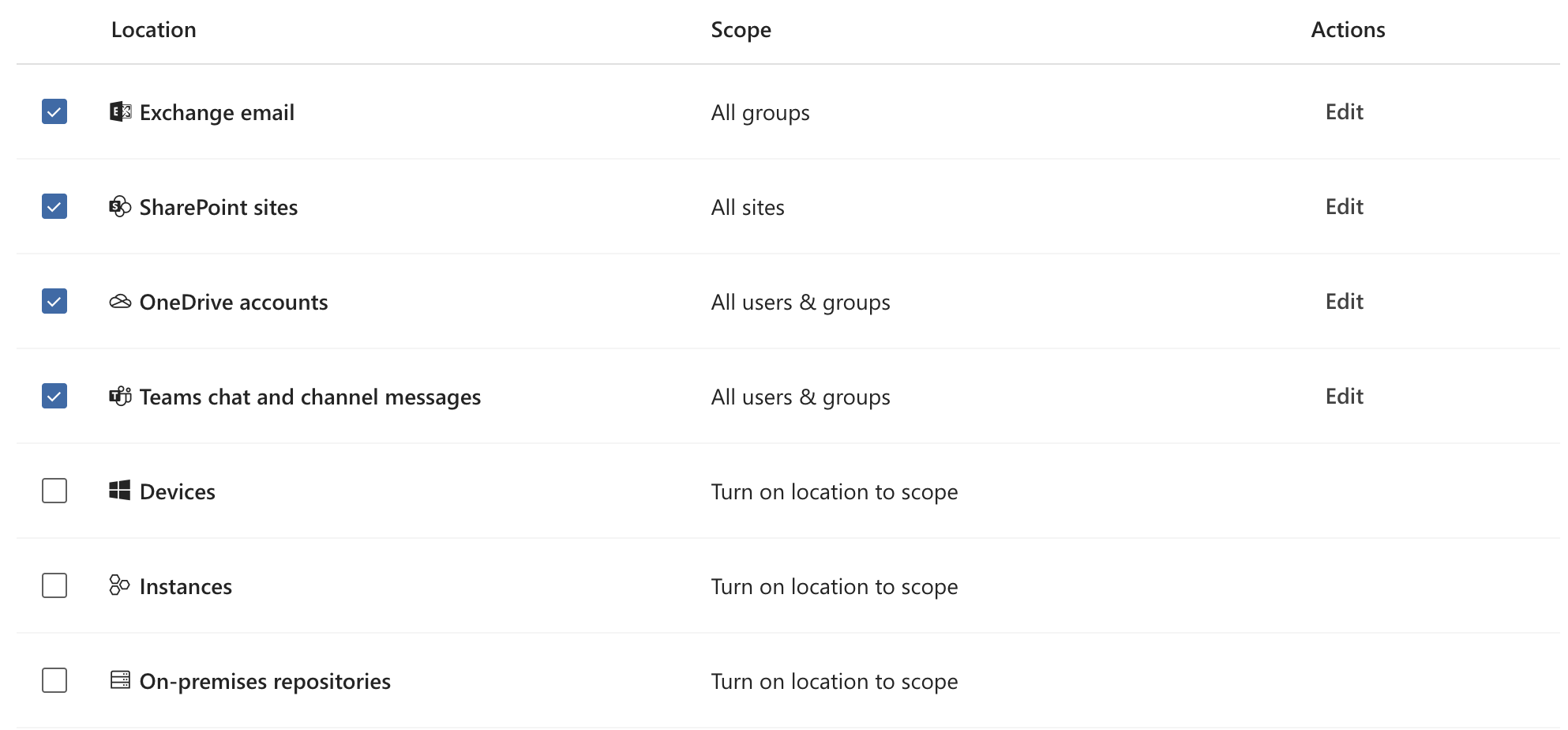
- Scope the policy explicitly to the four workloads (Exchange, SharePoint, OneDrive, Teams) using the location picker.
- Include all users and groups in scope (default), no exclusions required for this lab.
- Rule condition: content contains configured HIPAA sensitive info types or matching classifiers.
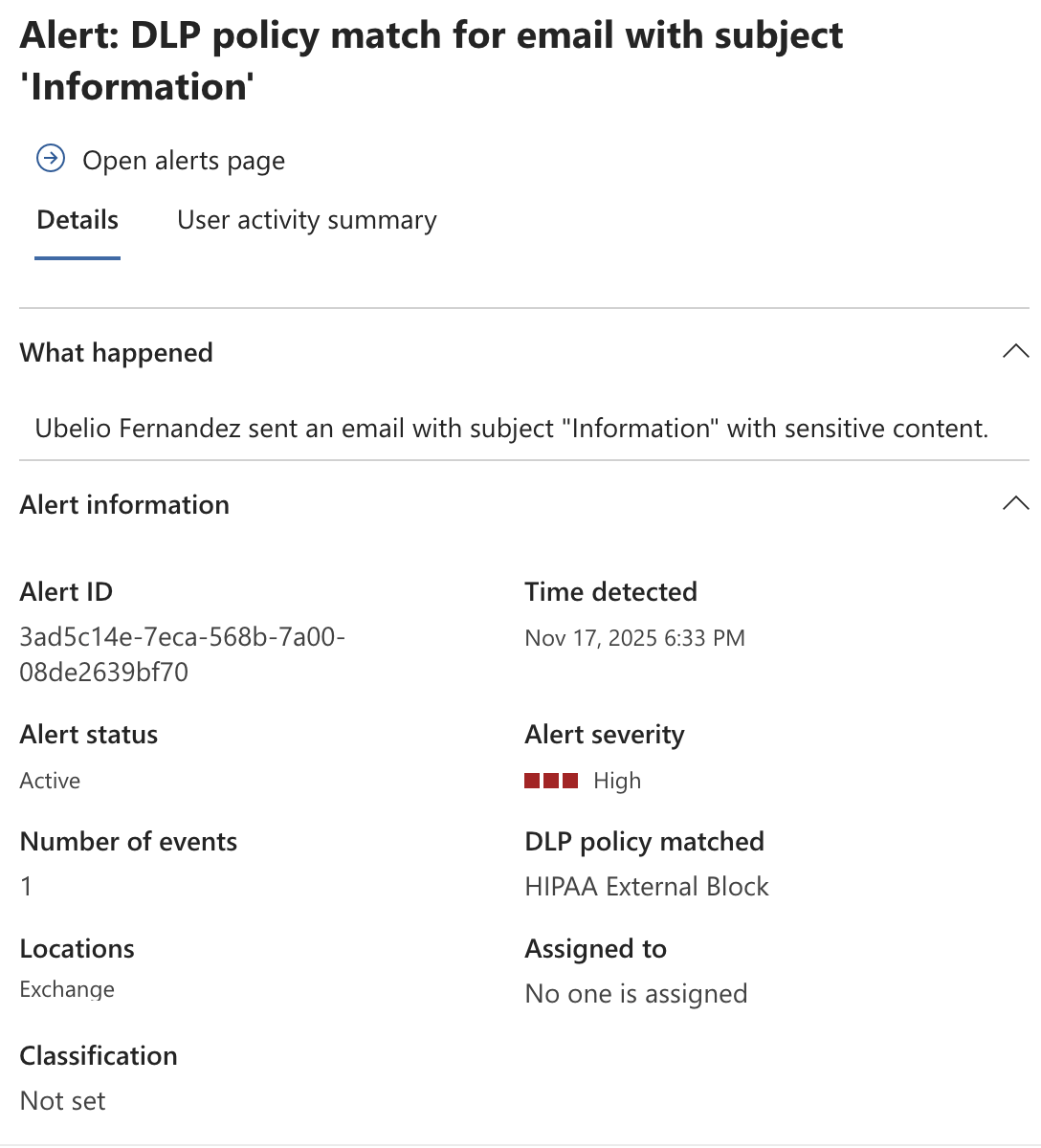
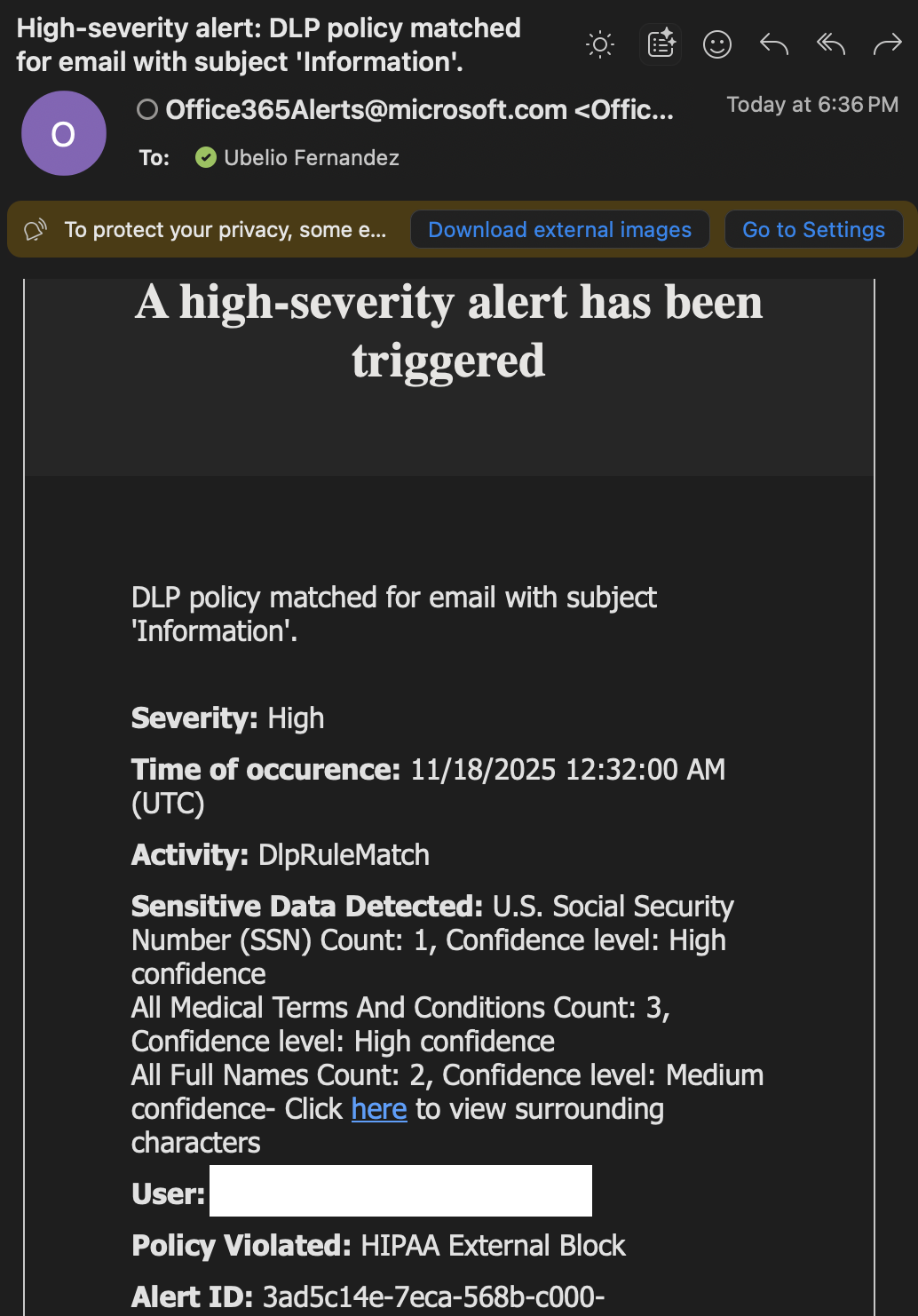
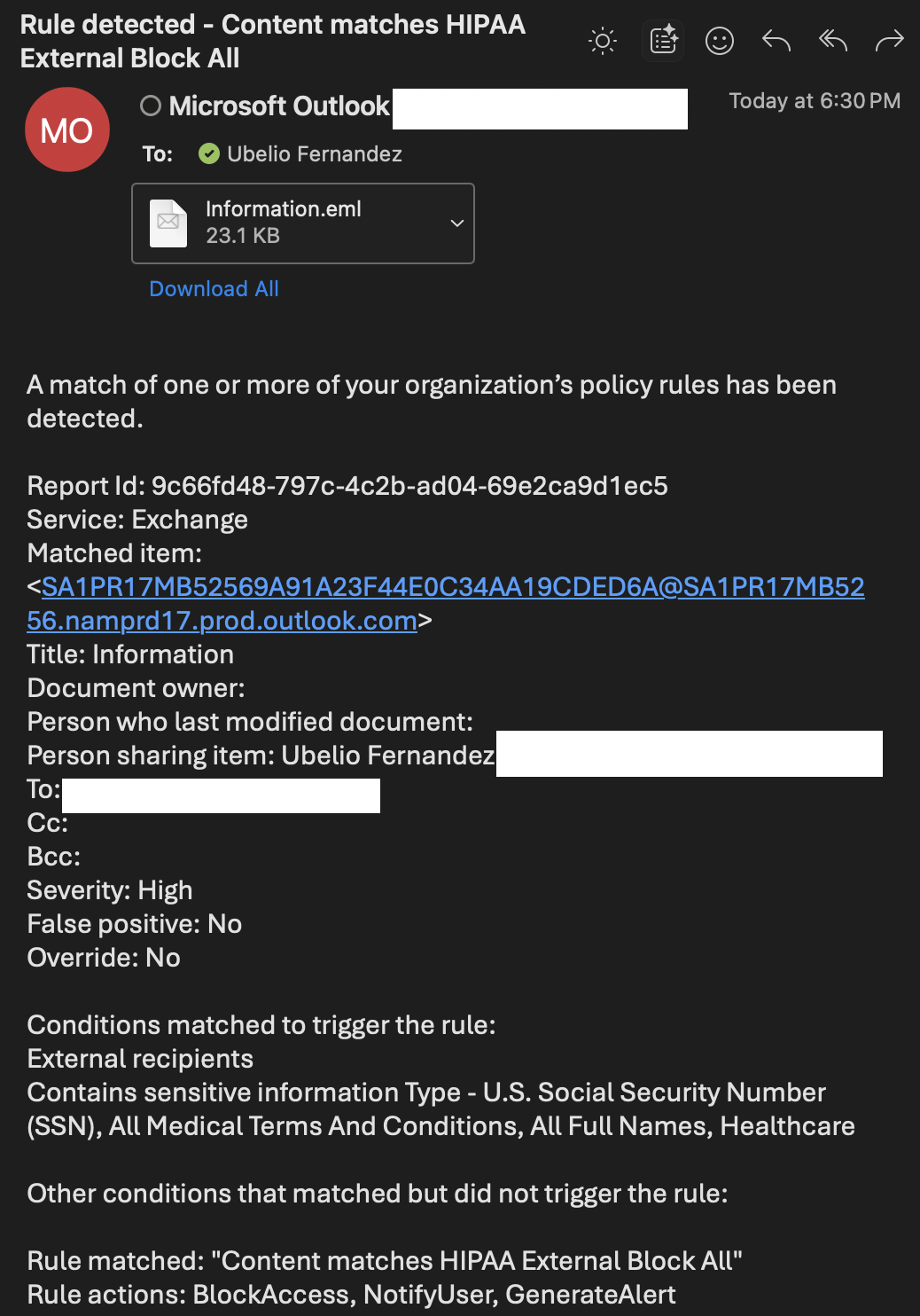
- Action: Block external sharing/delivery; show inline policy tip; send end‑user notification; create Purview incident and alert to admins.
- Validate externally-targeted sharing attempts from each workload are blocked and generate alerts.
Policy Configuration (high-level)
Name: HIPAA External Block — Global
Locations: Select specific locations → Exchange mailboxes; SharePoint sites; OneDrive accounts; Teams chat and channel messages
Users in scope: All users and groups (no exclusions in this lab)
Condition: Contains HIPAA sensitive info types / classifiers
Actions: Block external sharing/delivery; Show policy tip; Send user notification; Create incident/alert.
Locations: Select specific locations → Exchange mailboxes; SharePoint sites; OneDrive accounts; Teams chat and channel messages
Users in scope: All users and groups (no exclusions in this lab)
Condition: Contains HIPAA sensitive info types / classifiers
Actions: Block external sharing/delivery; Show policy tip; Send user notification; Create incident/alert.
Steps Taken
- Create custom DLP policy using the Purview portal and name it per above.
- Choose specific locations and enable Exchange, SharePoint, OneDrive and Teams.
- Select sensitive info types and any trainable classifiers that represent PHI.
- Set action to block external sharing/delivery; configure policy tip and notify options.
- Publish policy and allow propagation (test after 30–60 minutes; final confirmation next day).
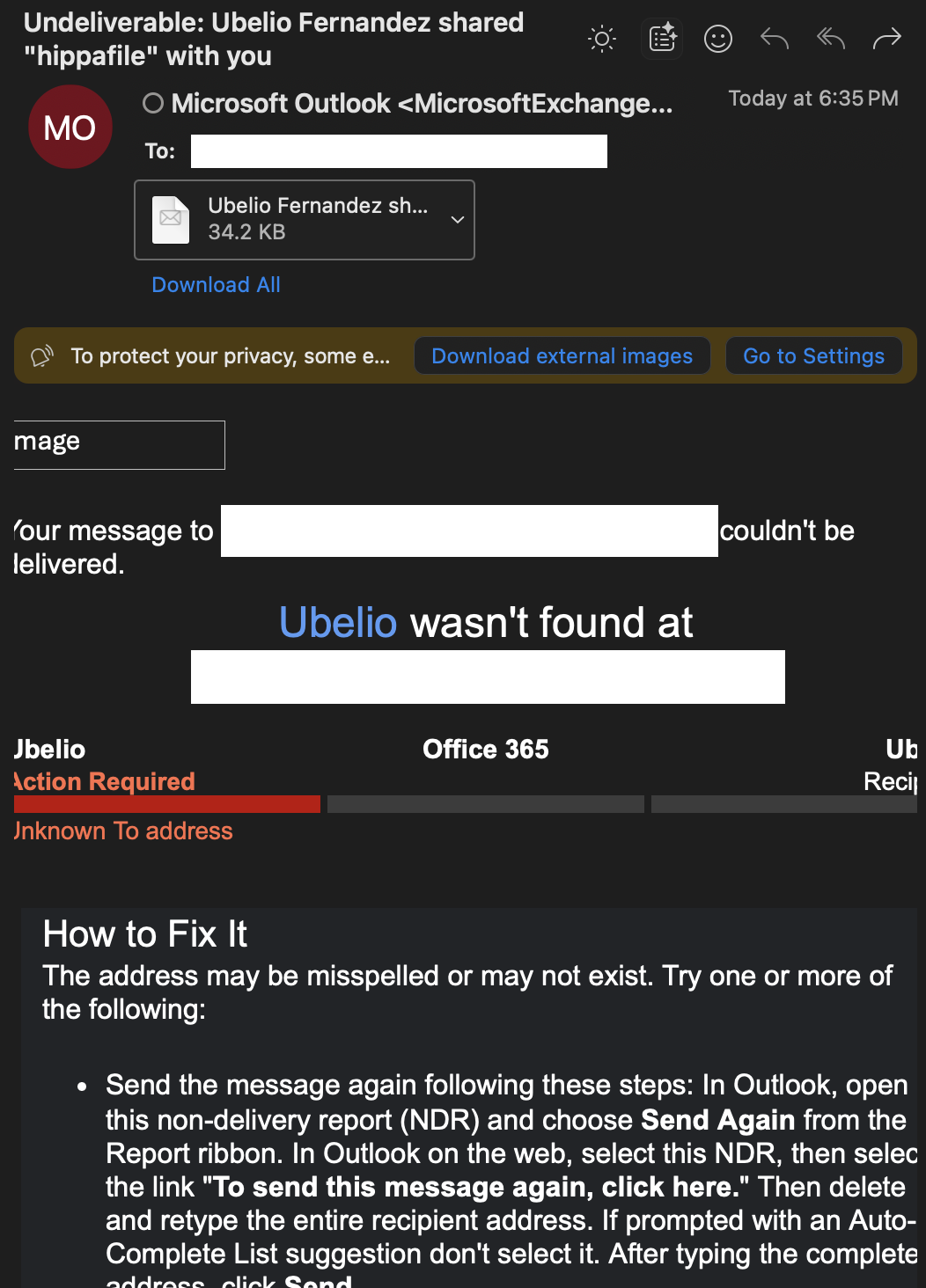
- Perform external sharing tests from each workload and capture results (blocked tip, NDR, Purview incident/alert).
Screenshot: Policy Overview
Screenshot: Locations Picker (selected workloads)
Per-workload test placeholders & expected artifacts
SharePoint / OneDrive
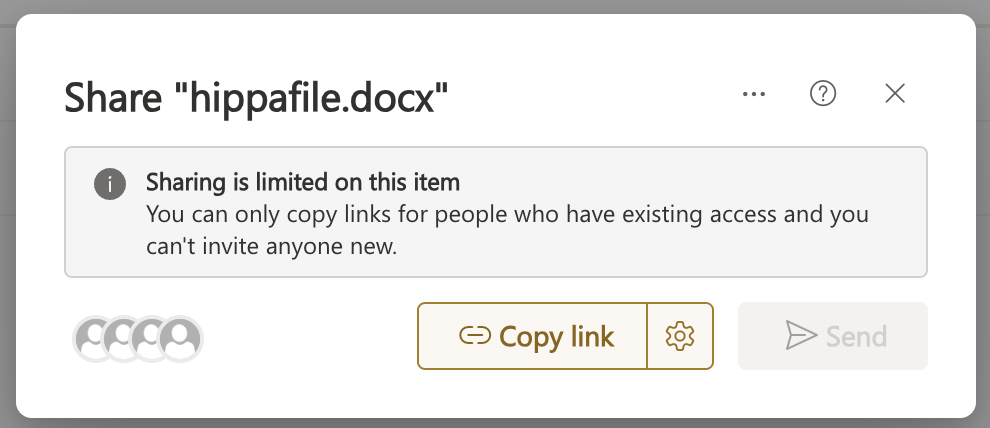
SharePoint / OneDrive
Teams
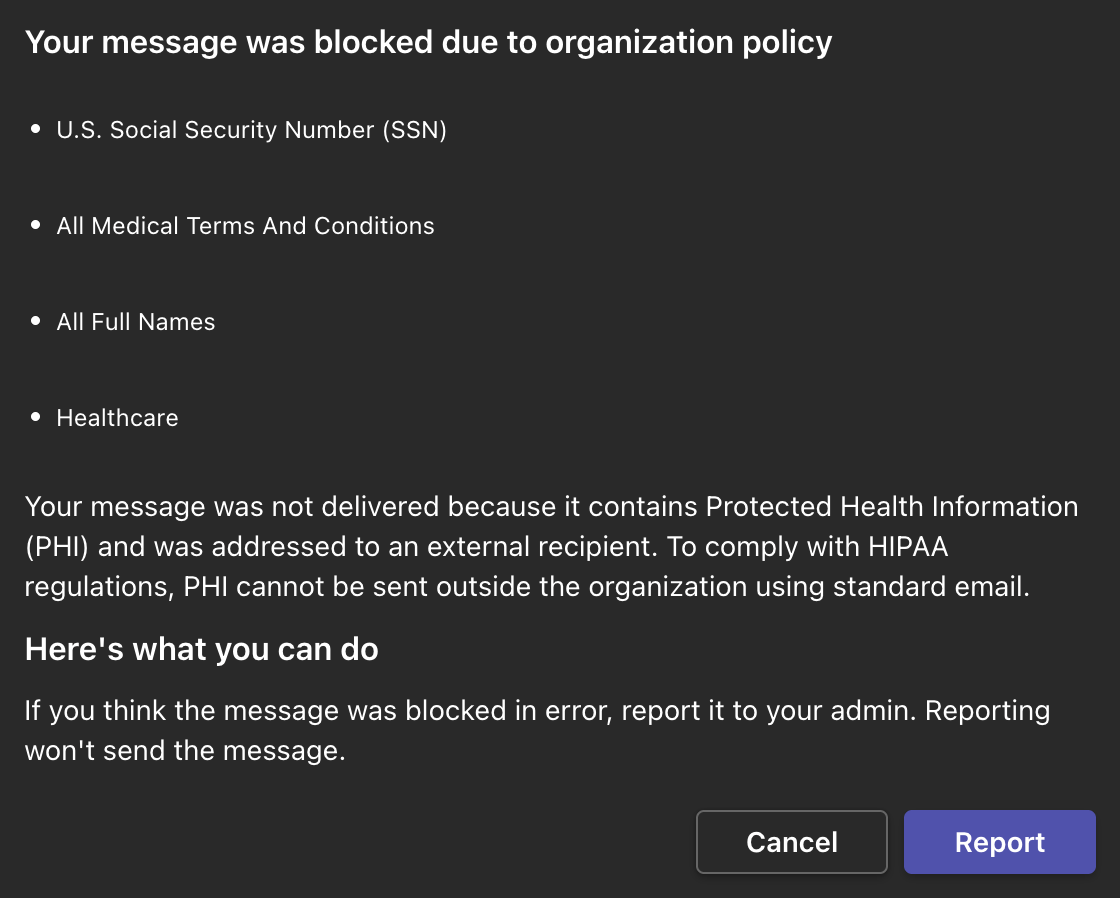
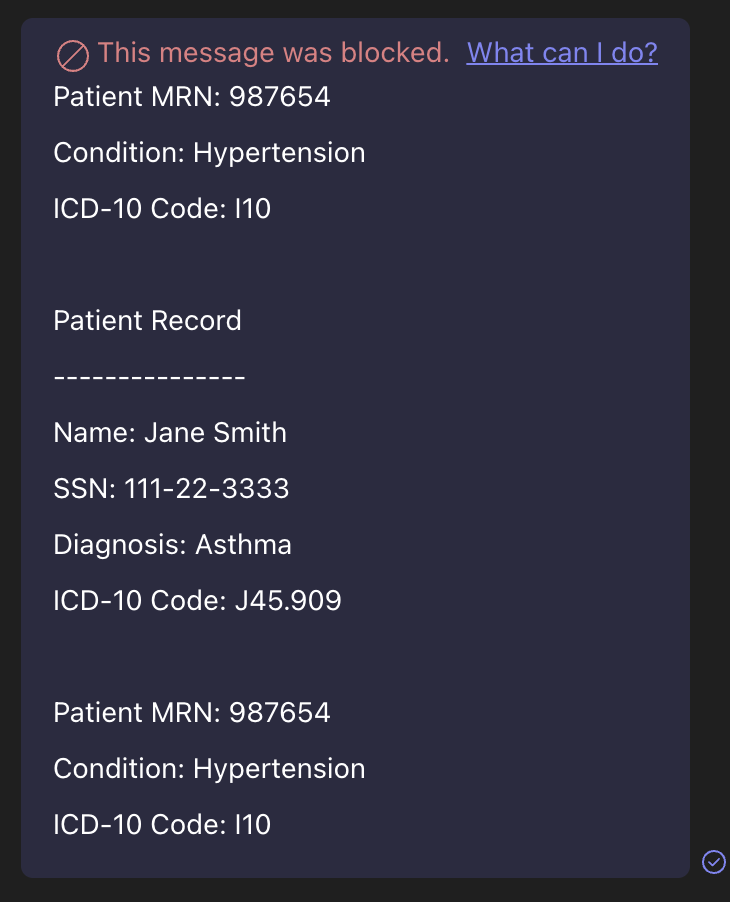
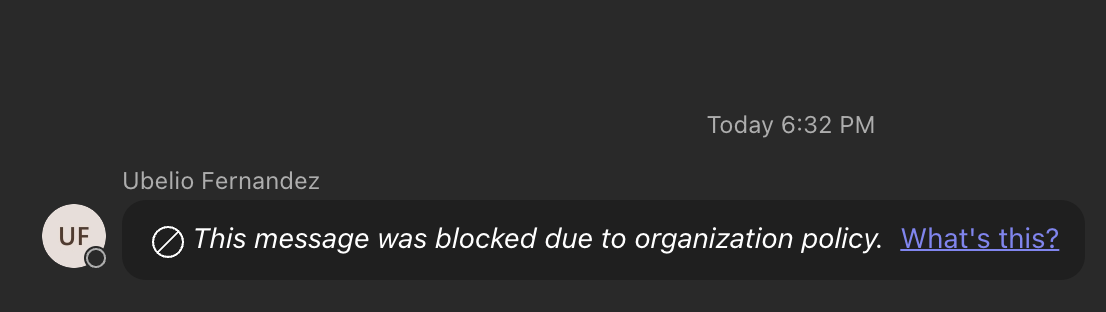
Exchange
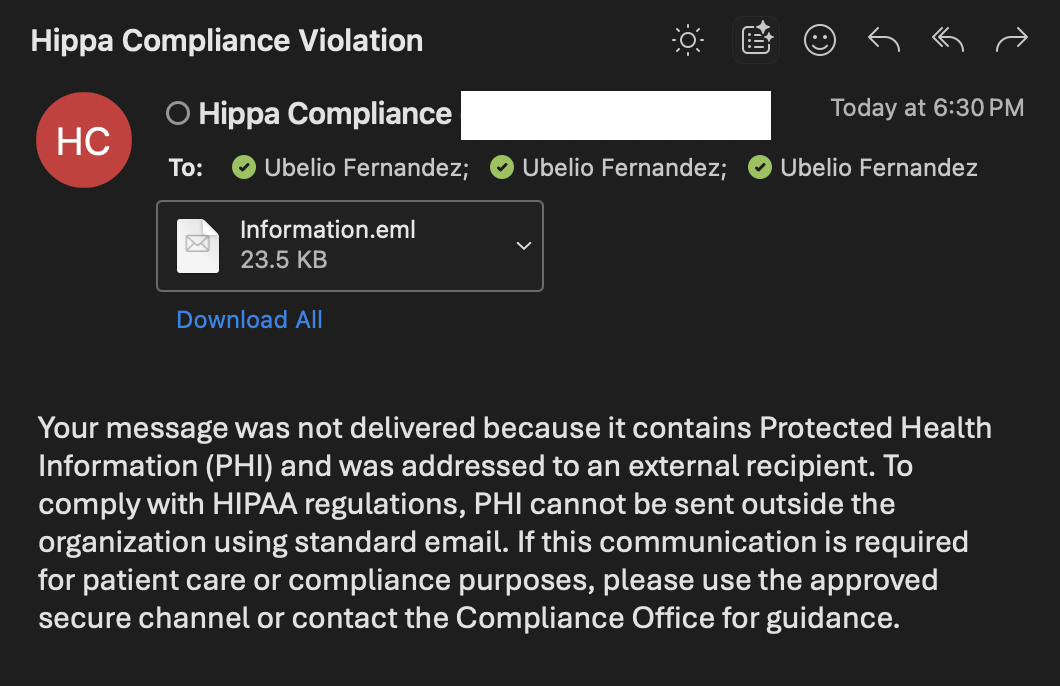
Screenshot: Admin side artifacts
Outcome
Single global external-block policy prevents PHI from leaving the tenant across all major M365 workloads. This simplified design reduces scoping complexity. Admins receive incidents and alerts for auditing and response.