Tools Used
- OPNsense Firewall
- Web GUI access
- Trusted VLAN configured from previous labs
- Client device for validation tests
- Browser + screenshot tool
Steps Taken
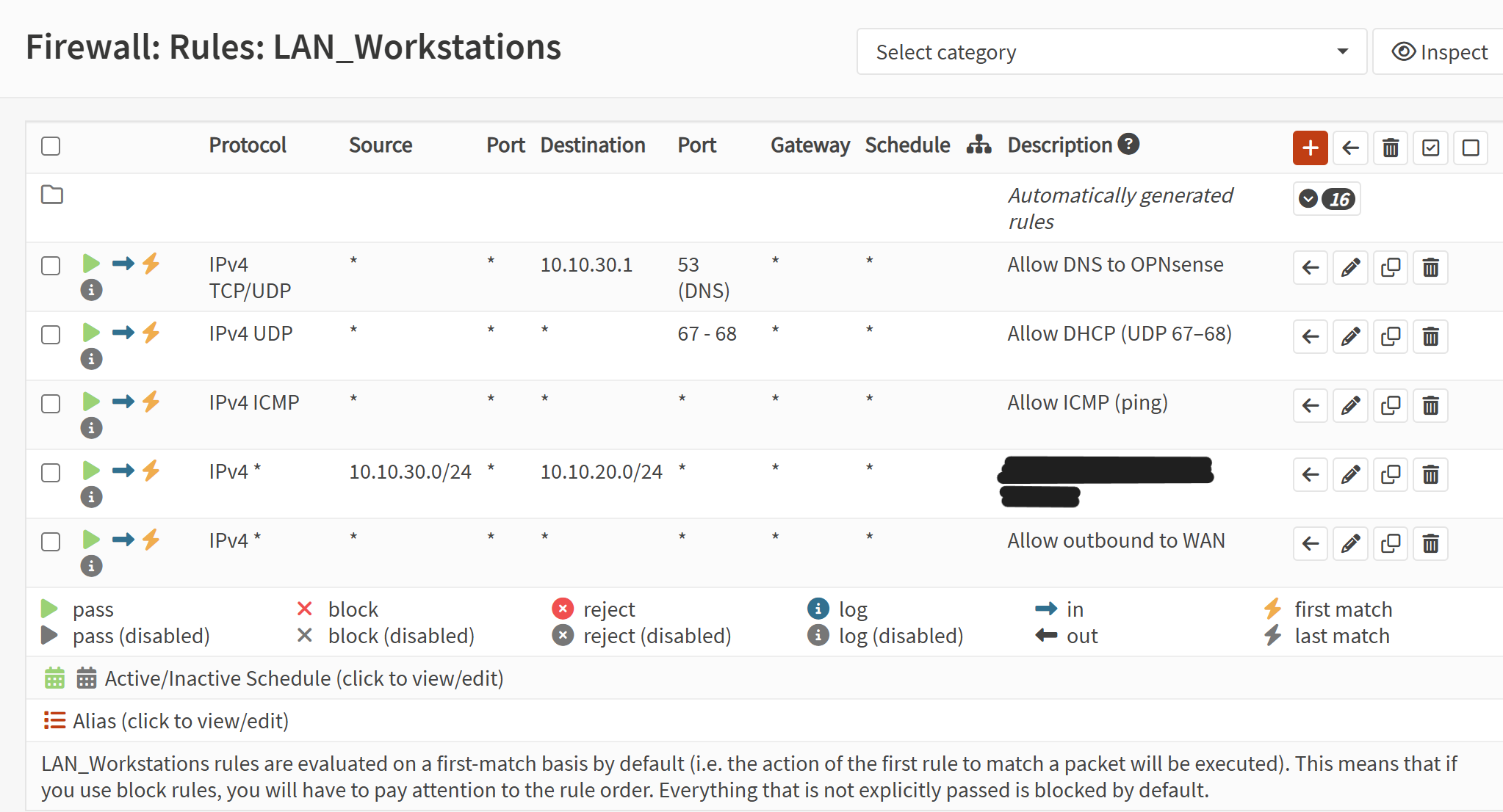
- Opened Firewall → Rules → [Trusted VLAN].
- Created allow rules for DNS (TCP/UDP 53), DHCP (UDP 67/68), and ICMP.
- Added an outbound allow rule to permit internet access.
- Added a final block-all rule with logging enabled.
- Applied changes and verified rule order.
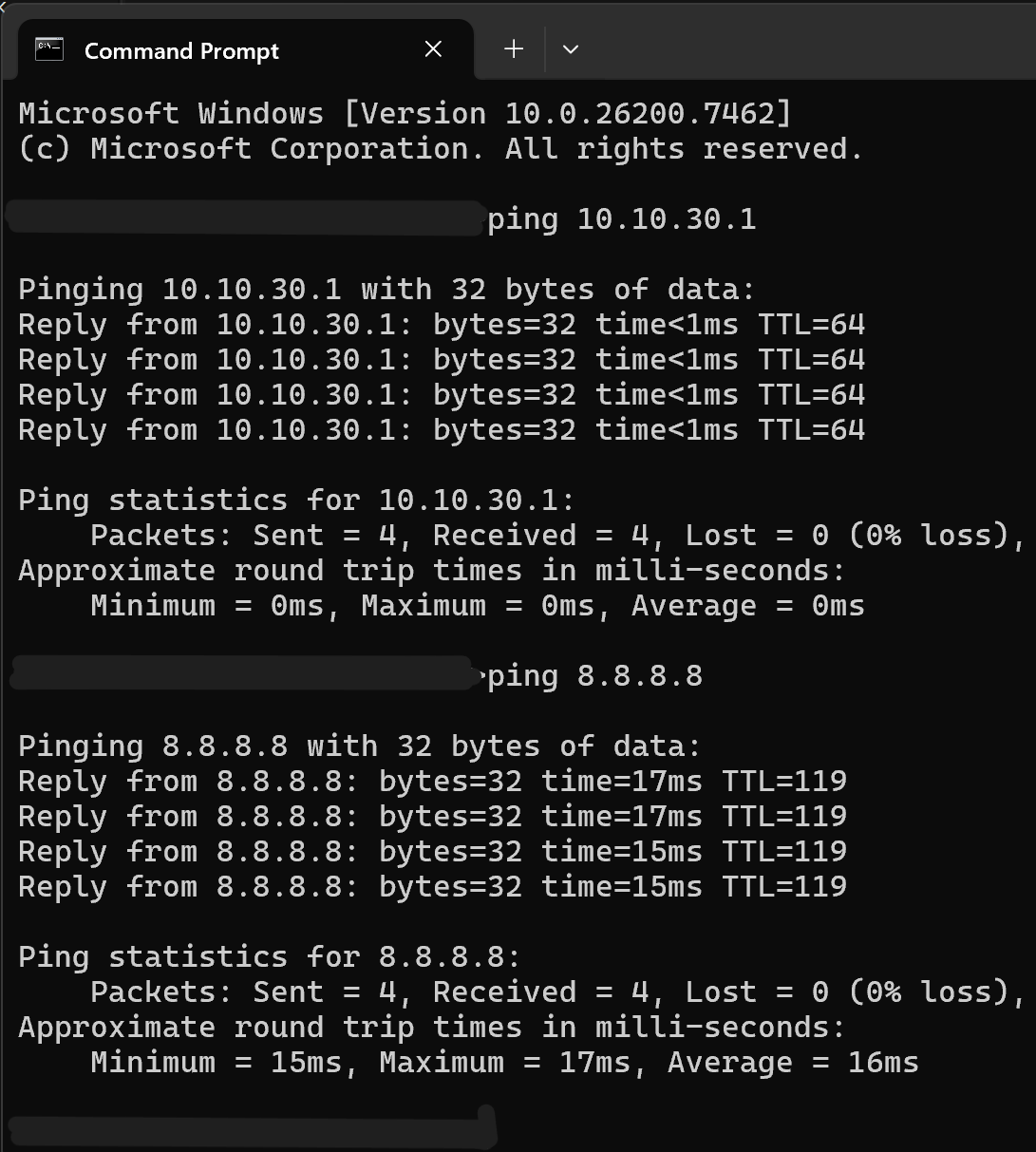
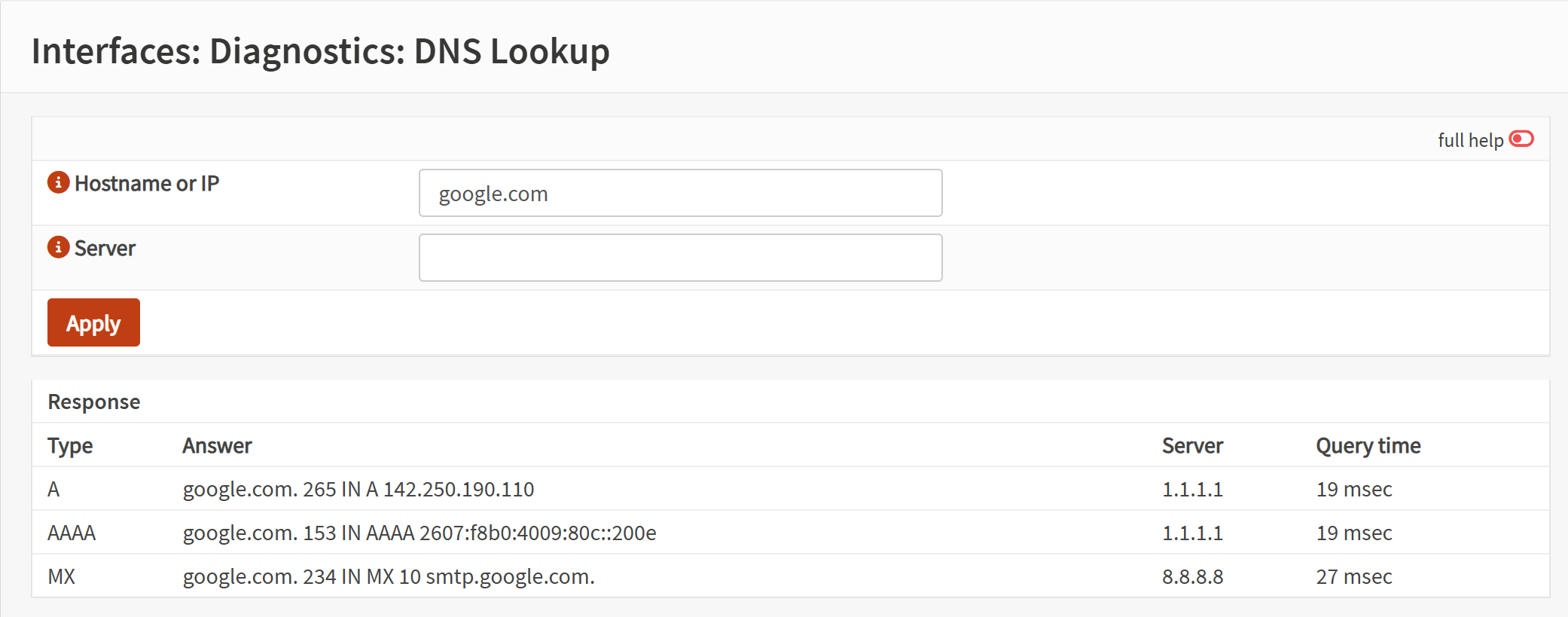
- Validated DNS resolution, DHCP functionality, ping tests, and internet browsing.
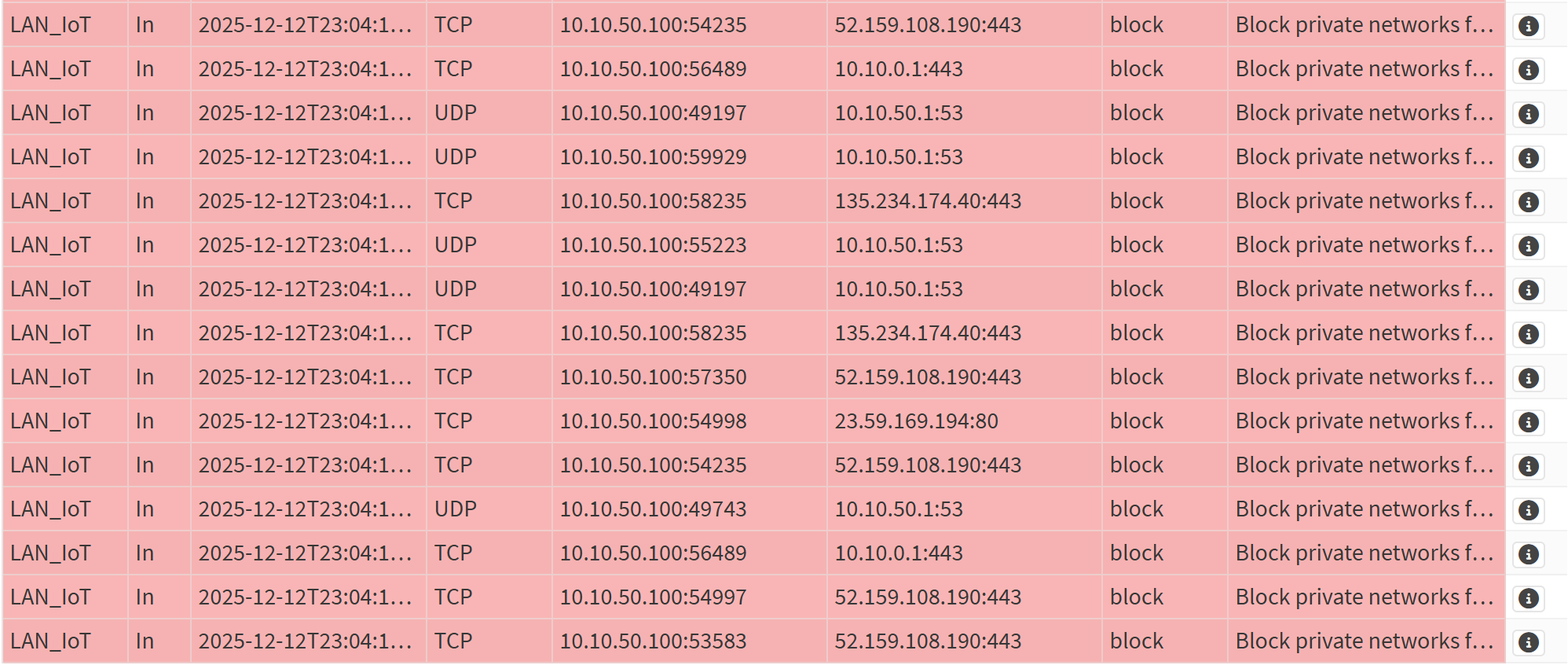
- Generated intentional blocked traffic to confirm log visibility.
Screenshot: Firewall Rules (Trusted VLAN)
Screenshot: Firewall Logs (Blocked Traffic)
Screenshot: Ping Test
Screenshot: DNS Test
Outcome
The trusted VLAN now enforces a clean, enterprise-style firewall baseline: essential services are allowed, outbound internet is permitted, and all other traffic is explicitly blocked and logged. Validation confirmed DNS, DHCP, ICMP, and internet access function correctly, while unauthorized traffic is denied and visible in the firewall logs. This establishes a secure foundation for further segmentation and policy development.