Tools Used
- Cisco Catalyst-style Layer 2 switch
- Console or SSH access
- OPNsense Firewall (trunk uplink)
- Terminal emulator (PuTTY, SecureCRT, etc.)
Steps Taken
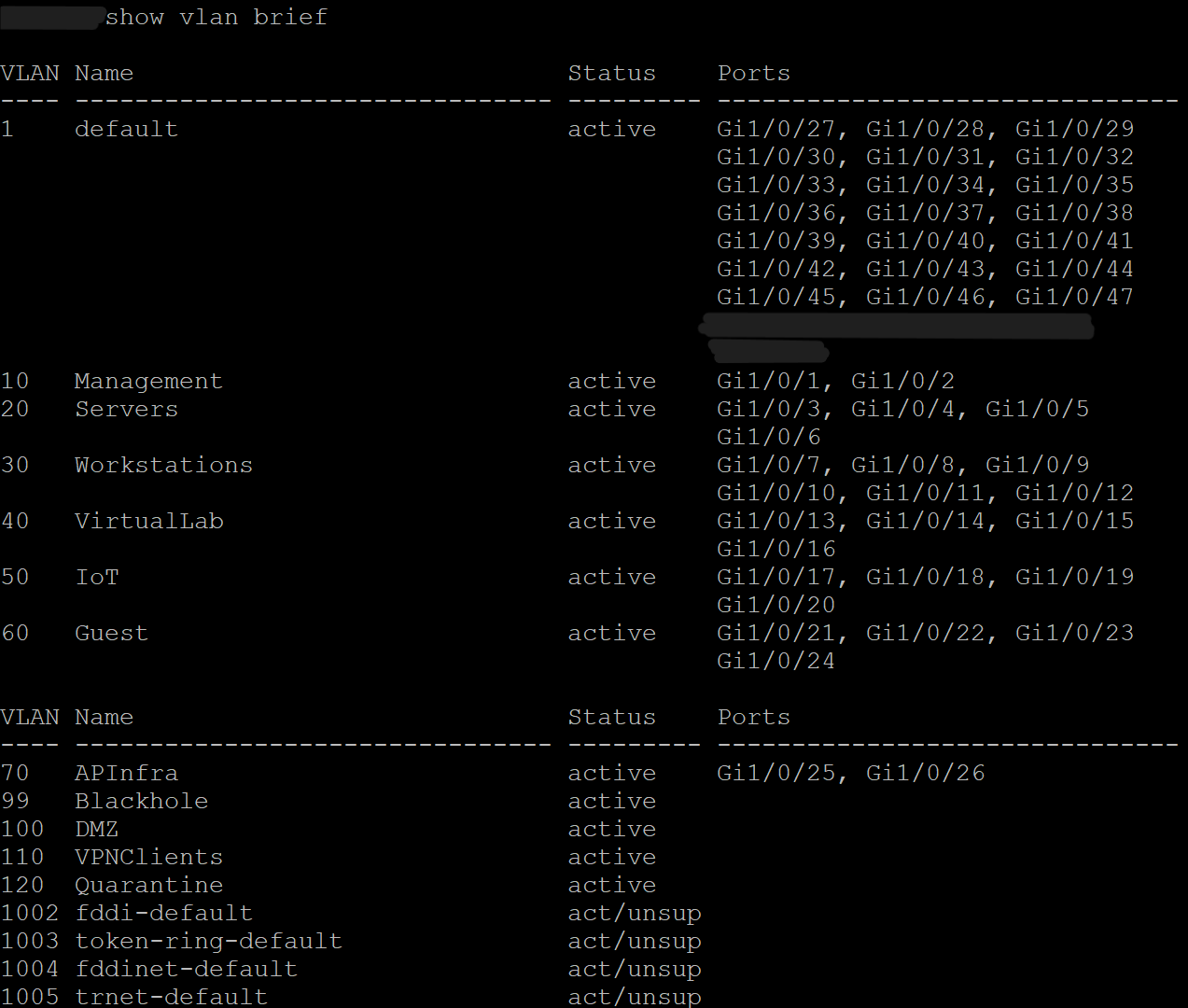
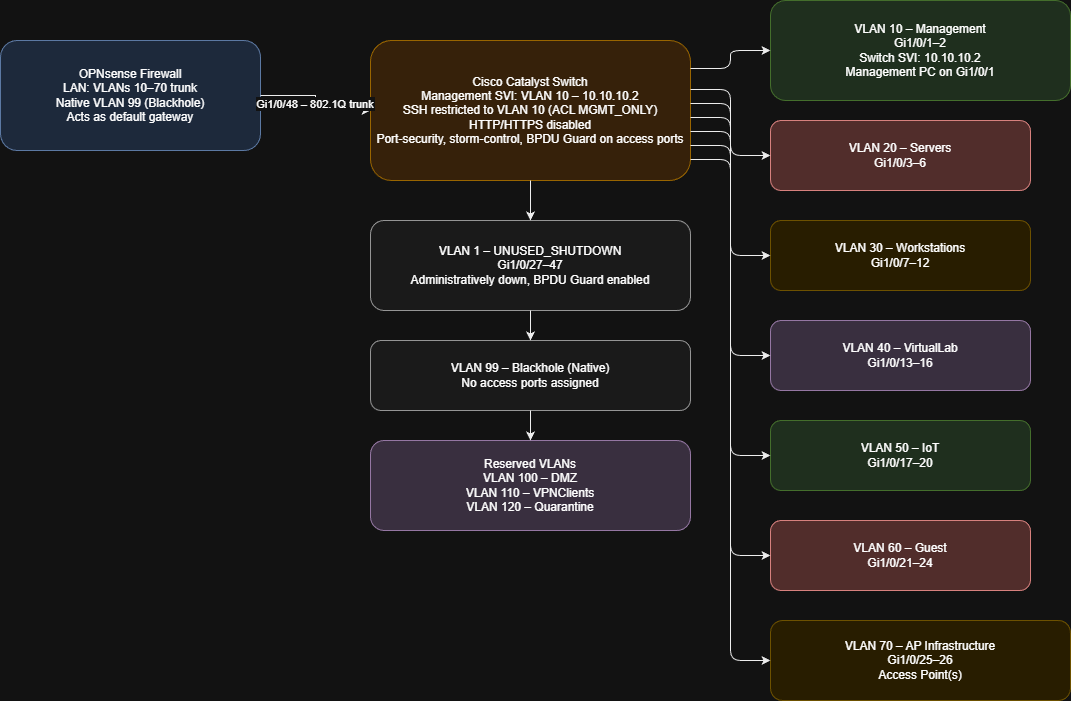
- Created VLANs for all network segments (Management, Servers, Workstations, VirtualLab, IoT, Guest, AP Infrastructure, Blackhole, and reserved DMZ/VPN/Quarantine).
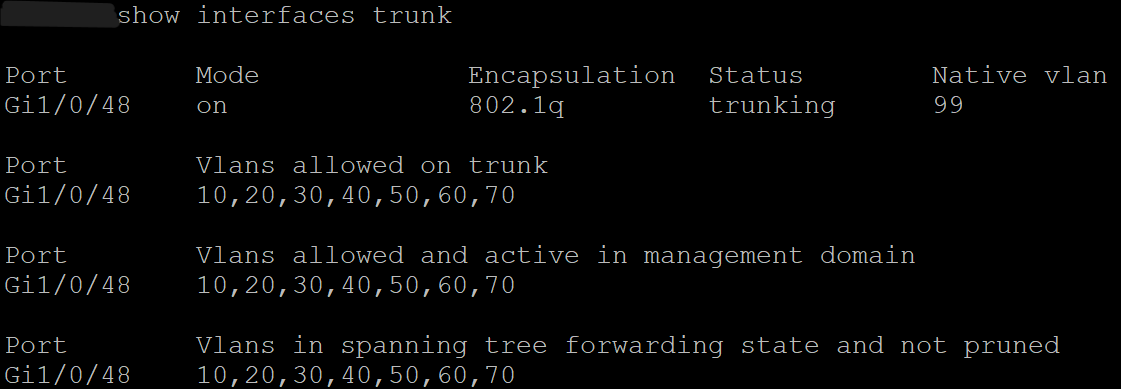
- Configured 802.1Q trunk uplink to OPNsense with VLAN 99 as the native VLAN.
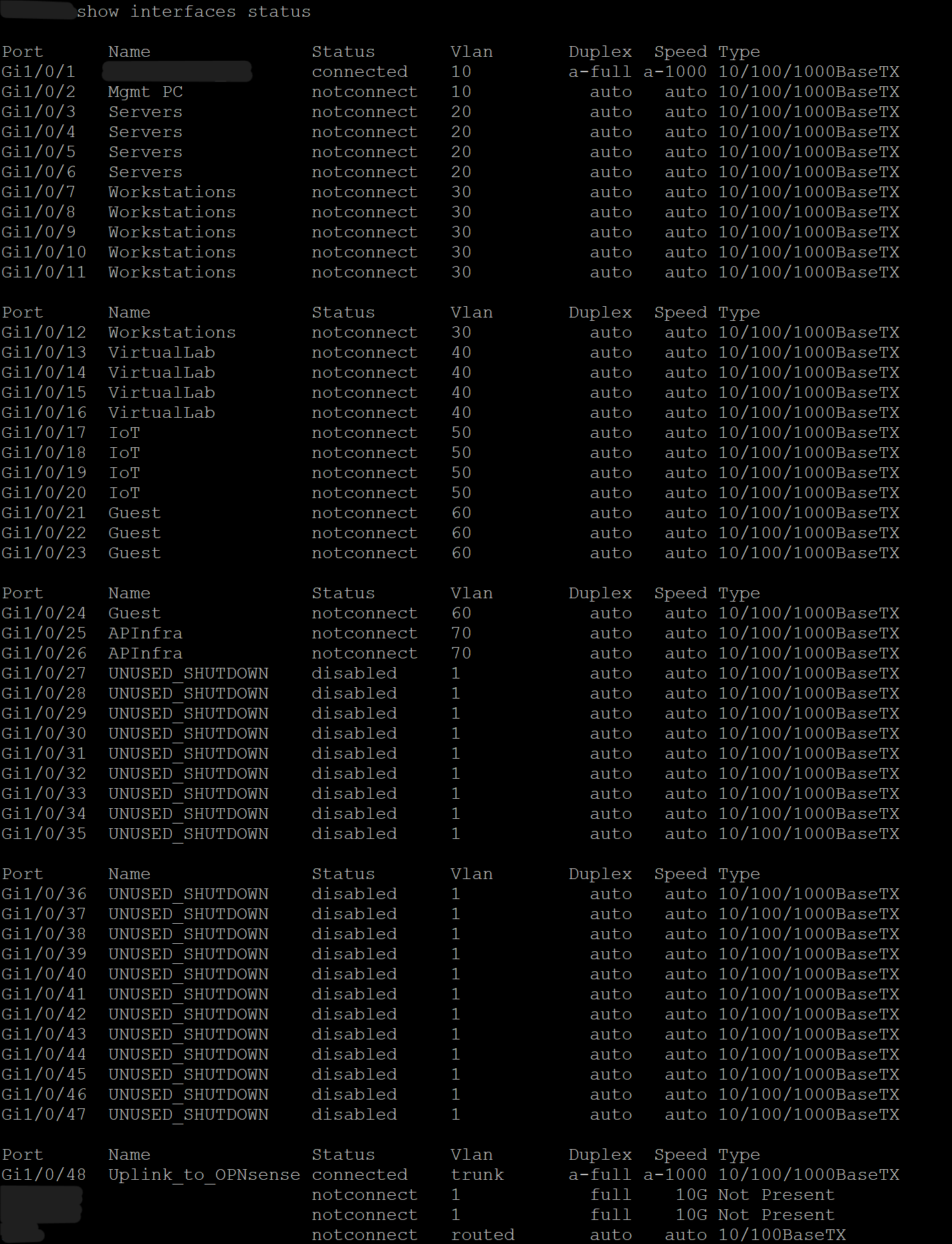
- Assigned access ports to their respective VLANs (Gi1/0/1–26).
- Configured the management SVI on VLAN 10 with a static IP.
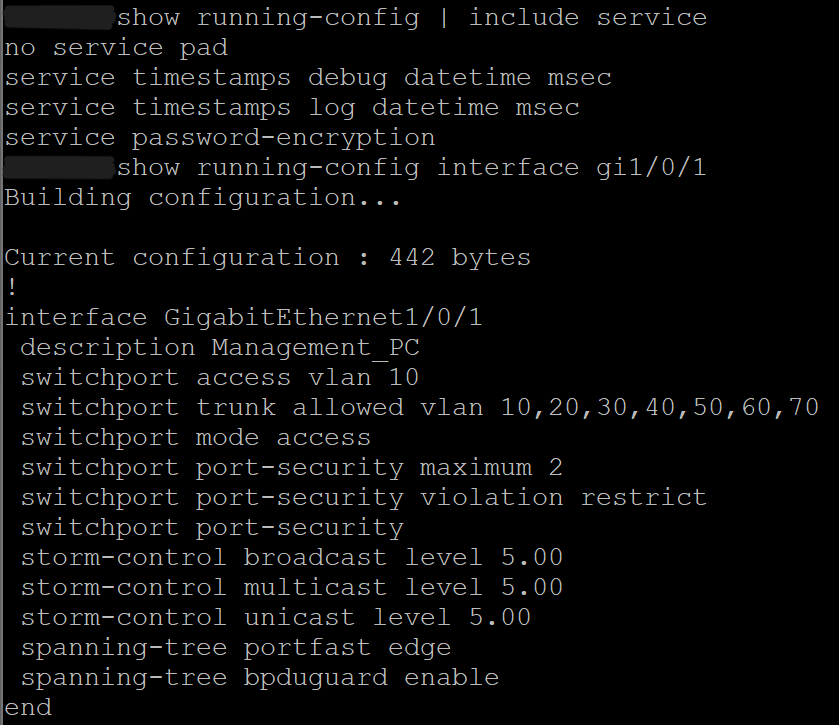
- Enabled PortFast and BPDU Guard on all access ports.
- Enabled storm control for broadcast, multicast, and unicast protection.
- Enabled LLDP for device visibility.
- Shut down unused ports (Gi1/0/27–47) and labeled them accordingly.
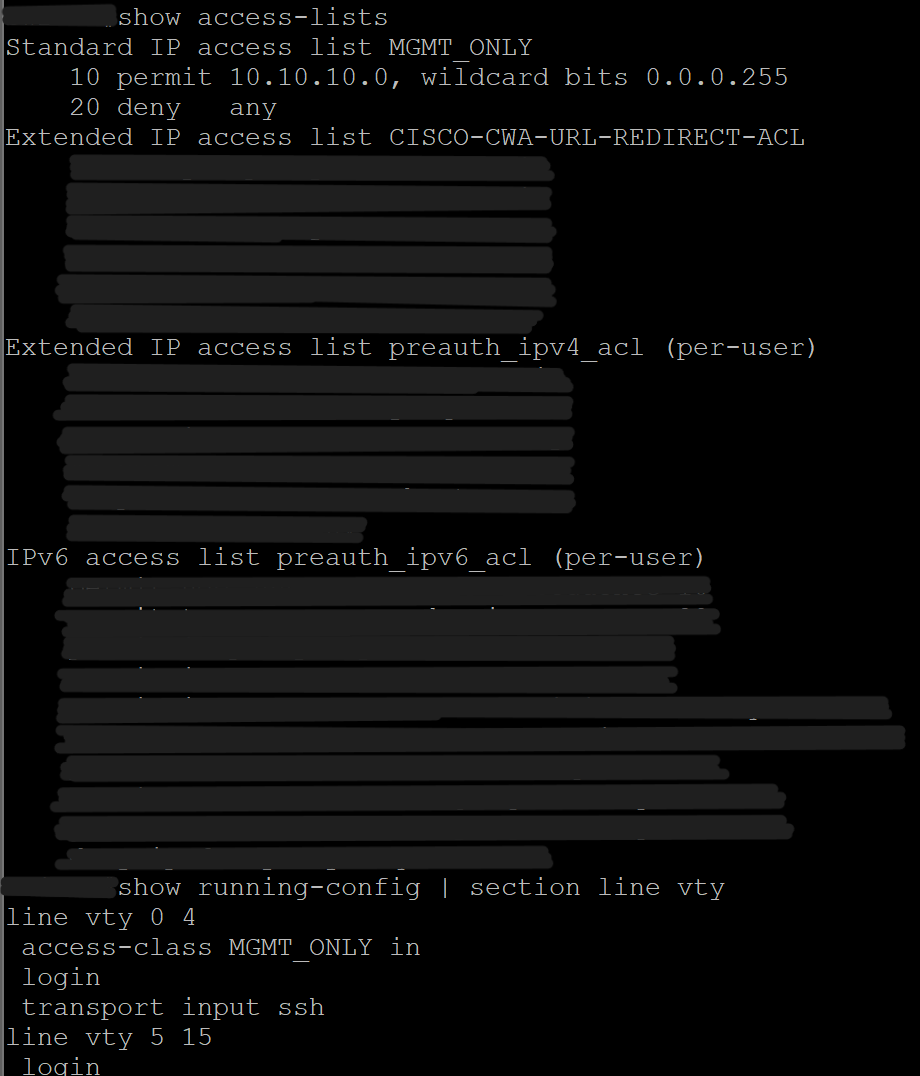
- Restricted SSH access to VLAN 10 only using an ACL.
- Disabled HTTP and enabled HTTPS for secure management.
- Saved configuration to startup-config.
Screenshot: VLAN Table
Screenshot: Trunk Status
Screenshot: Interface Status
Screenshot: Management SVI

Screenshot: SSH Access Restriction
Screenshot: Hardening Configuration
Network Diagram
Outcome
The switch is fully segmented and hardened, supporting a multi-VLAN architecture with secure management access, protected access ports, and a validated trunk to OPNsense. This establishes a strong foundation for subsequent labs involving DHCP, firewall rules, and inter-VLAN communication.