Tools Used
- OPNsense Firewall
- IoT and Guest VLANs configured from previous labs
- OPNsense Diagnostics (Ping and DNS Lookup)
- Browser + screenshot tool
Steps Taken
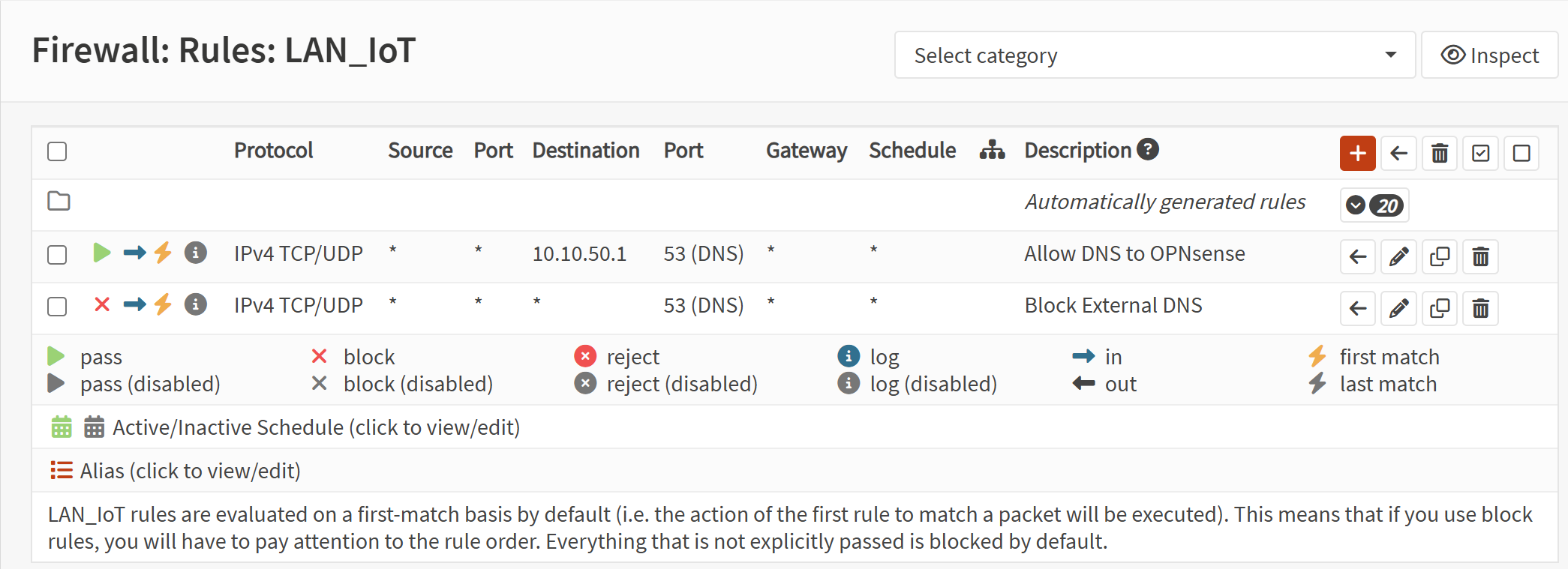
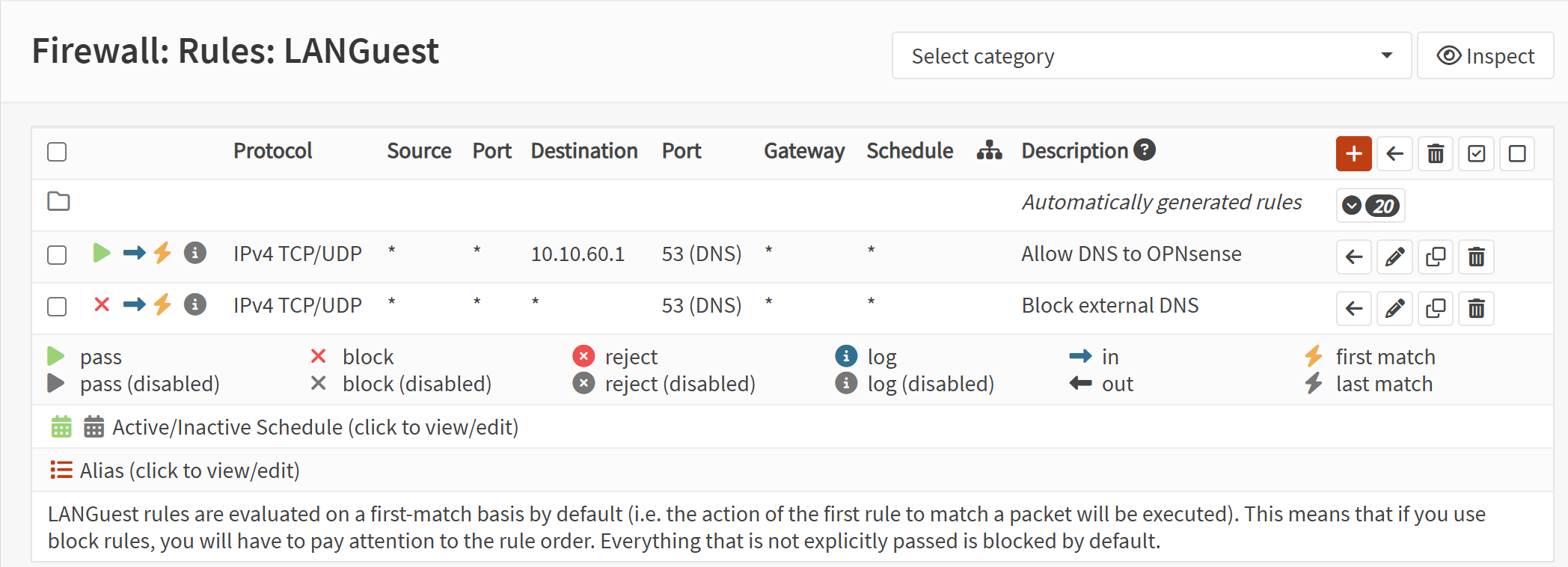
- Opened Firewall → Rules for the IoT and Guest VLAN interfaces.
- Created rules to:
- Block access to RFC1918 address ranges from IoT and Guest.
- Allow DNS from IoT and Guest to the OPNsense firewall.
- Allow outbound internet access for IoT and Guest networks.
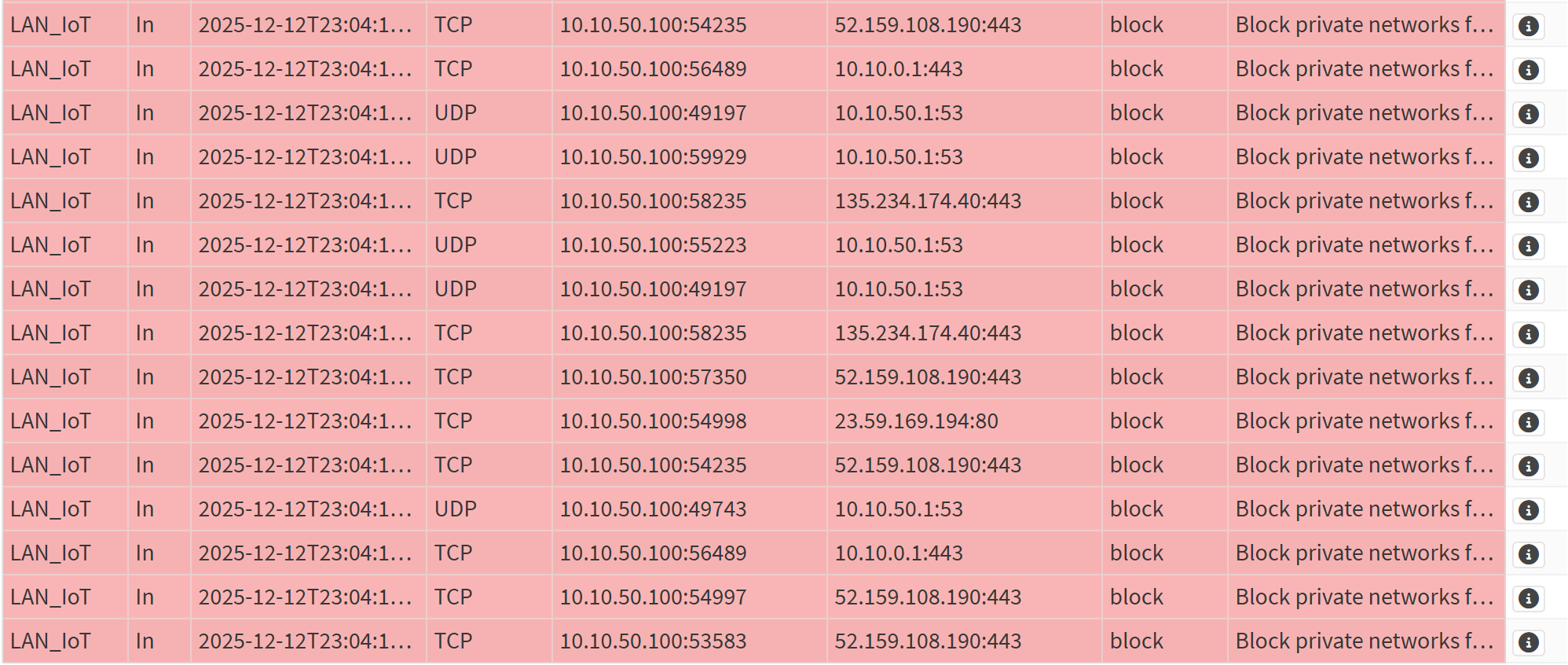
- Enabled logging for blocked inter-VLAN attempts.
- Applied changes and verified rule order for each interface.
- Validated that IoT and Guest could not reach any internal subnets.
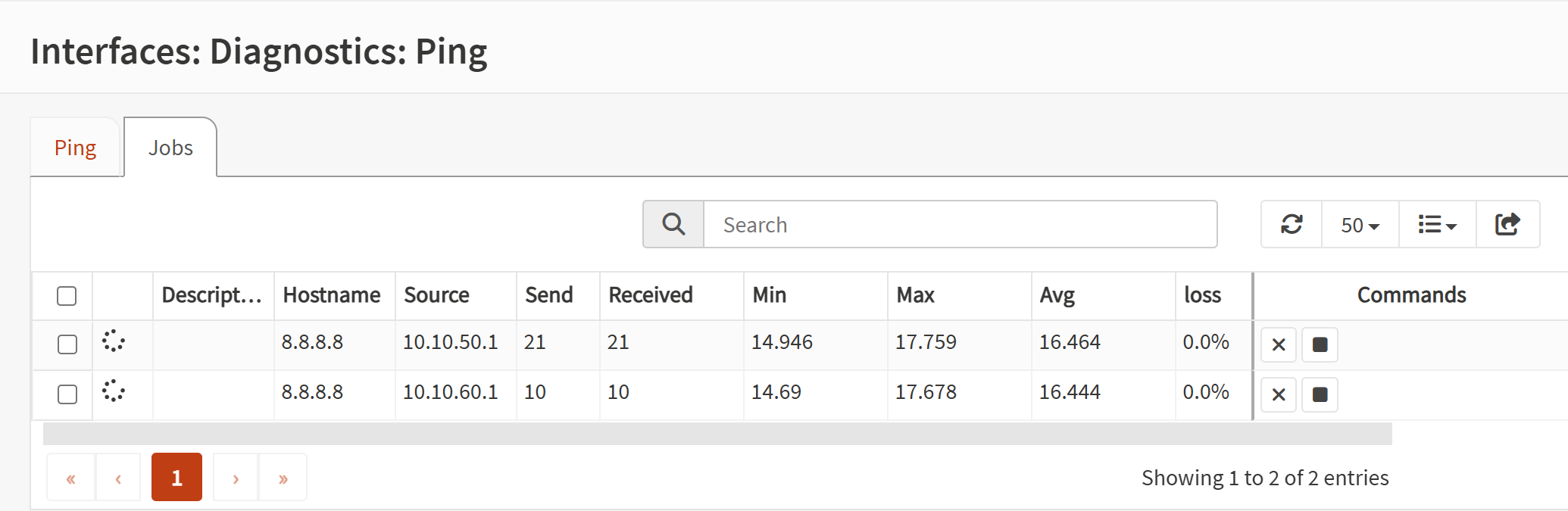
- Confirmed that DNS and internet connectivity still worked for both VLANs.
- Generated and reviewed firewall logs showing blocked inter-VLAN attempts.
Screenshot: IoT VLAN Firewall Rules
Screenshot: Guest VLAN Firewall Rules
Screenshot: Blocked Traffic Logs
Screenshot: DNS and Internet Tests
Outcome
This lab enforces strict isolation for untrusted IoT and Guest networks. Both VLANs are prevented from reaching any internal RFC1918 subnets while still retaining DNS resolution and outbound internet access. Firewall logs confirm that inter-VLAN attempts from these networks are blocked and recorded, providing both security and visibility. The result is a hardened edge where untrusted devices can operate without exposing critical internal services or management networks.