Lab 4 – Microsoft Defender for Endpoint
SC-200: Microsoft Security Operations Analyst
Overview
Deployed and configured Microsoft Defender for Endpoint, onboarded a Windows device, configured roles and device groups, then ran a simulated backdoor attack and investigated the resulting multi-stage incident. Supplemented with Microsoft Learn exercises covering endpoint hardening, Defender for Cloud, and Entra ID Protection policies.
Tasks Completed
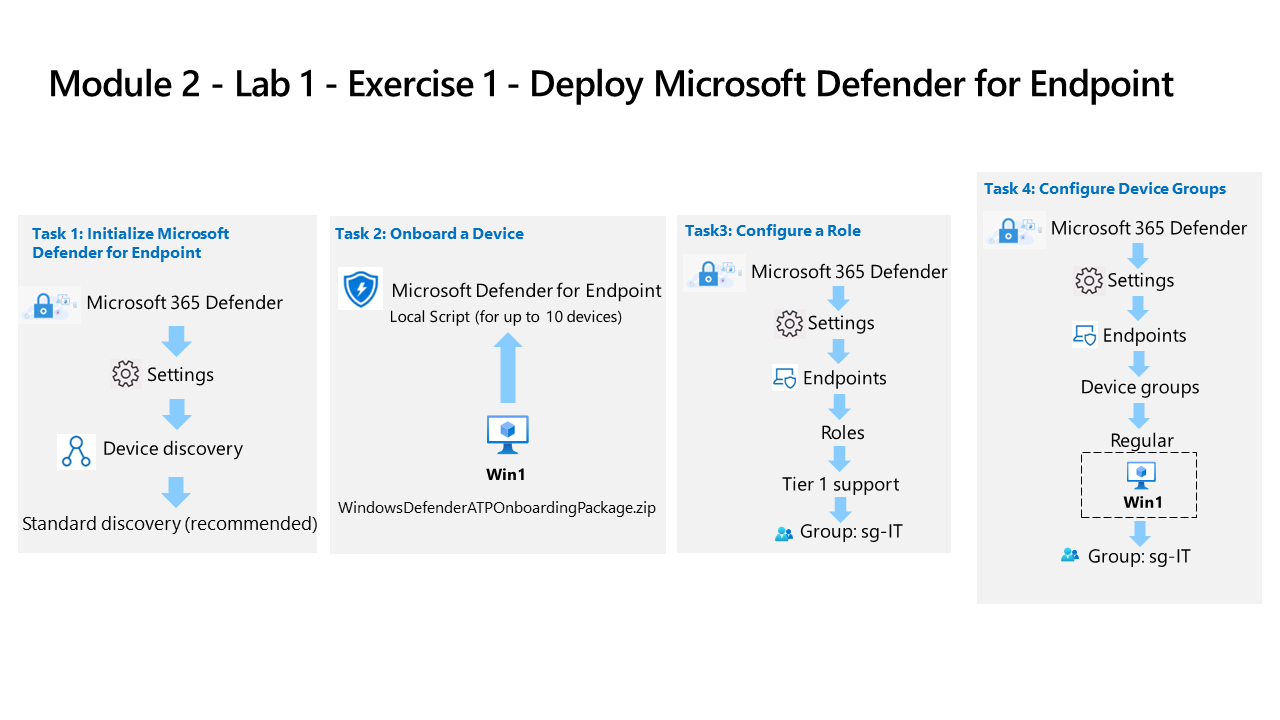
- Initialized Microsoft Defender for Endpoint and configured standard device discovery
- Onboarded a Windows device (Win1) using a local onboarding script package
- Configured a Tier 1 support role and assigned the sg-IT security group
- Created a Regular device group scoped to Win1 and assigned to sg-IT
- Ran a simulated automated investigation attack (RS4_WinATP-Intro-Invoice.docx backdoor) against the onboarded device
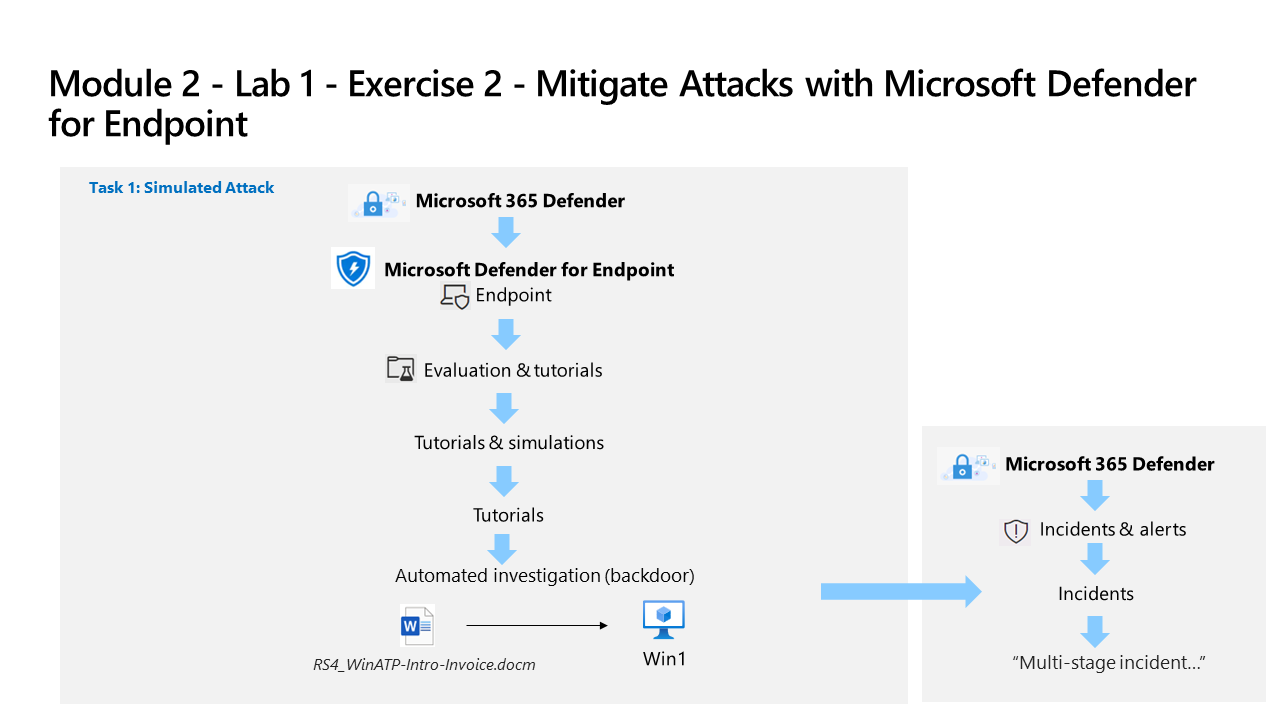
- Reviewed the resulting multi-stage incident in Microsoft Defender XDR (Incidents & alerts)
- Hardened endpoints using Intune and Defender for Endpoint security baselines (Microsoft Learn exercise)
- Explored the Defender for Cloud interactive guide and reviewed security recommendations (Microsoft Learn exercise)
- Enabled the sign-in risk policy in Microsoft Entra ID Protection to require MFA on medium/high risk sign-ins
- Configured the MFA registration policy in Entra ID Protection to enforce combined registration for the pilot group
Environment: Employer-provided Azure subscription (resources deleted after lab) and Microsoft 365 E5 test tenant.
Source Material
Completed using Exercise 1: Deploy Microsoft Defender for Endpoint and Exercise 2: Mitigate Attacks from the SC-200T00A MicrosoftLearning GitHub repository; and Microsoft Learn exercises Harden and Monitor Endpoints, Defender for Cloud Interactive Guide, Enable Sign-In Risk Policy, and Configure MFA Registration Policy. Completed in an employer-provided Azure subscription and a personal Microsoft 365 E5 test tenant.