Lab 6 – Microsoft Sentinel: Deployment & Data Connectors
SC-200: Microsoft Security Operations Analyst
Overview
Deployed Microsoft Sentinel into Microsoft Defender and established data ingestion from multiple sources — Defender for Cloud, Azure Activity, Windows devices via AMA, Linux hosts via CEF and Syslog, and Defender XDR. Supplemented with Microsoft Learn exercises covering SIEM configuration and the Sentinel-to-Defender XDR integration.
Tasks Completed
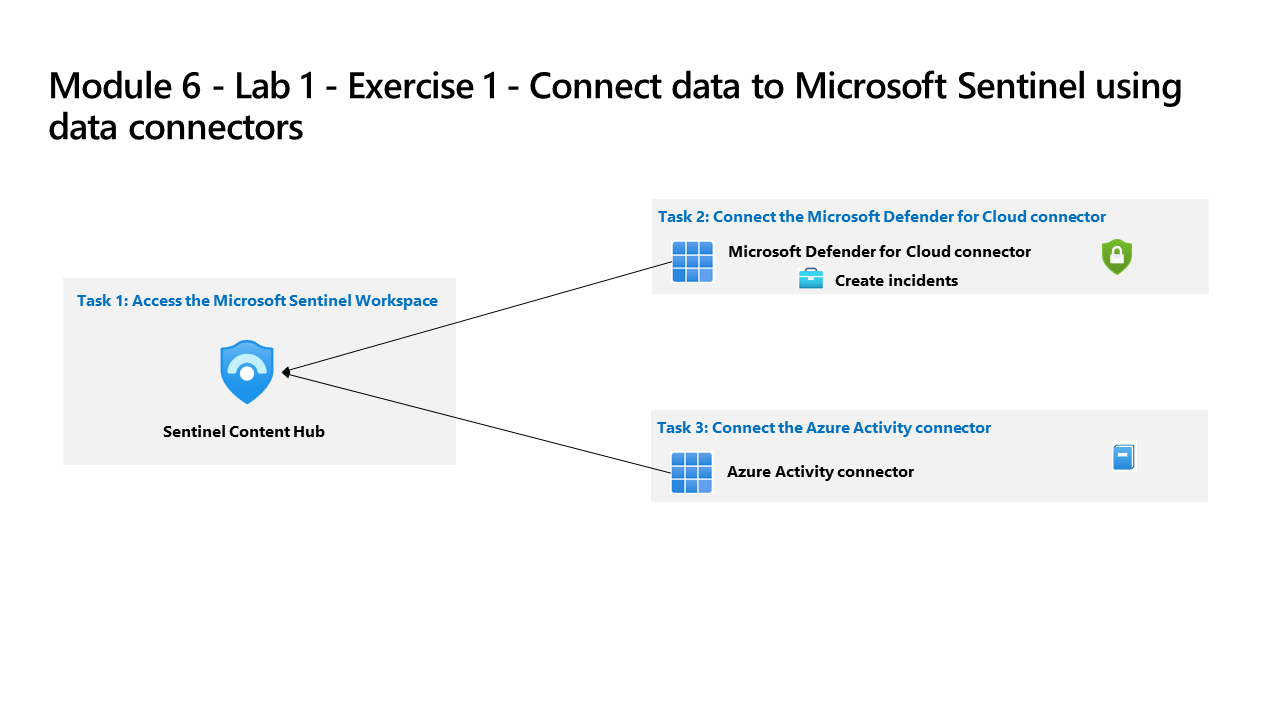
- Deployed Microsoft Sentinel and connected it to a Log Analytics workspace in the Defender portal
- Accessed the Sentinel Content Hub and installed solution packages for key data connectors
- Connected the Microsoft Defender for Cloud data connector (enabled incident creation)
- Connected the Azure Activity data connector to ingest subscription-level events
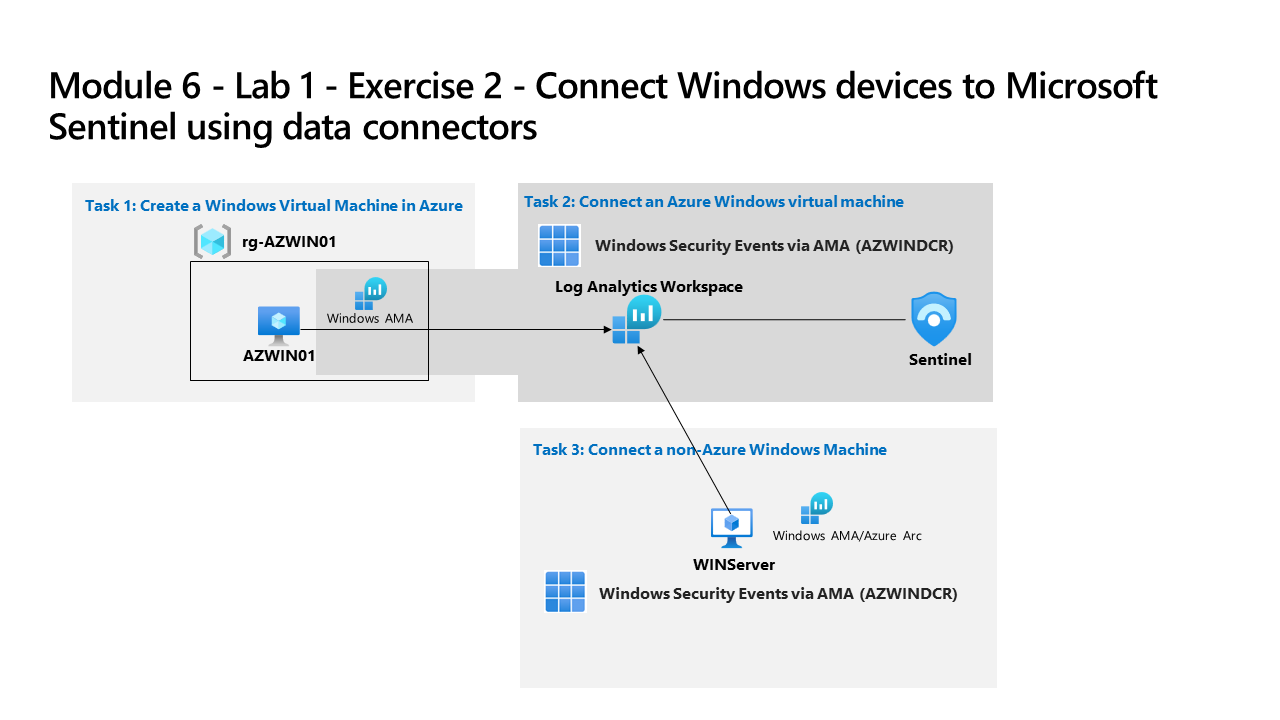
- Created an Azure Windows Virtual Machine (AZWIN01) in a dedicated resource group
- Connected the Azure VM to Sentinel using the Windows Security Events via AMA connector and a Data Collection Rule
- Connected a non-Azure Windows machine (WINServer) to Sentinel via Azure Arc and the AMA connector
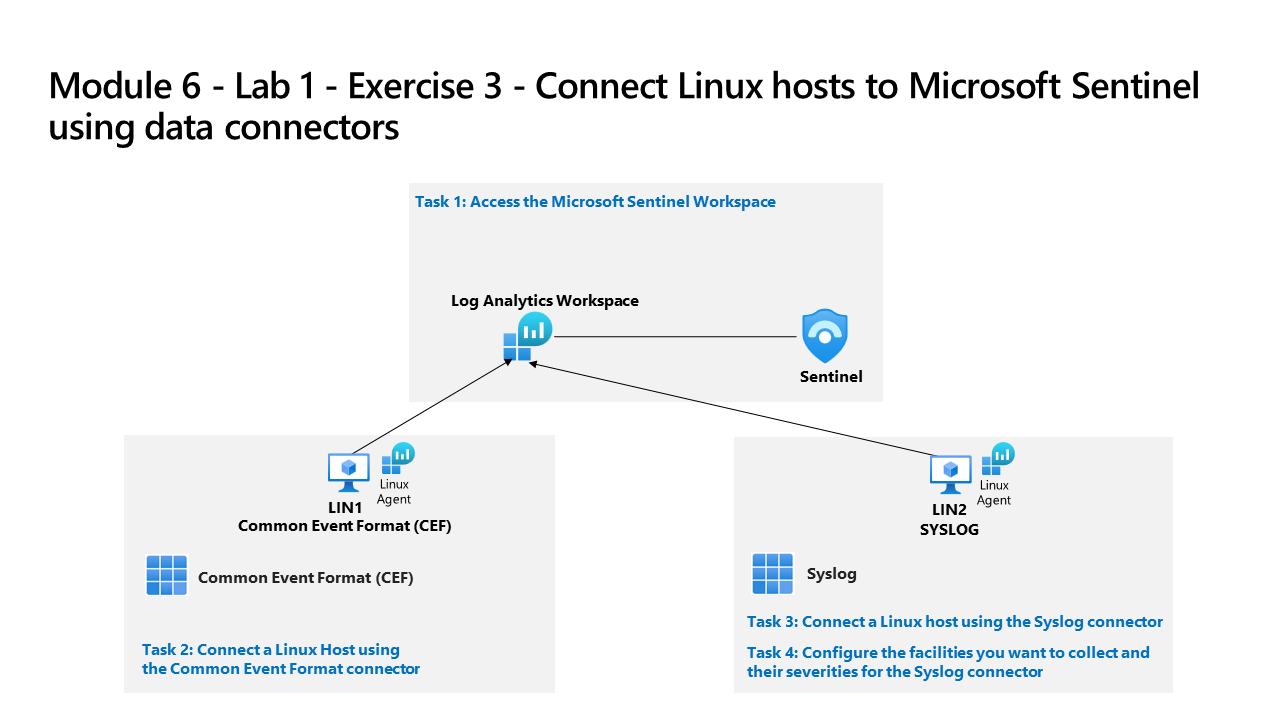
- Connected a Linux host (LIN1) to Sentinel using the Common Event Format (CEF) connector
- Connected a second Linux host (LIN2) using the Syslog connector and configured facility/severity collection
- Connected Microsoft Defender XDR as a data connector to ingest XDR incidents and alerts into Sentinel
- Configured SIEM security operations settings across three Microsoft Learn interactive exercises
- Deployed Sentinel to Microsoft Defender XDR via the integration simulation exercise (Microsoft Learn)
Environment: Employer-provided Azure subscription (resources deleted after lab).
Source Material
Completed using Lab 6 – Exercise 1: Deploy Sentinel, Exercise 1: Connect Services, Exercise 2: Connect Windows, Exercise 3: Connect Linux, and Exercise 4: Connect Defender XDR from the SC-200T00A MicrosoftLearning GitHub repository; and Microsoft Learn exercises SIEM Configuration Exercise 1, Exercise 2, Exercise 3, and Deploy Sentinel to Defender XDR. Completed in an employer-provided Azure subscription.