Lab 9 – Microsoft Sentinel: Threat Hunting, Workbooks & Notebooks
SC-200: Microsoft Security Operations Analyst
Overview
Performed proactive threat hunting in Microsoft Sentinel using custom KQL hunting queries and Livestream, built and customized Sentinel workbooks for security data visualization, and used Jupyter notebooks for advanced investigation. Supplemented with Microsoft Learn exercises for threat hunting setup and data visualization.
Tasks Completed
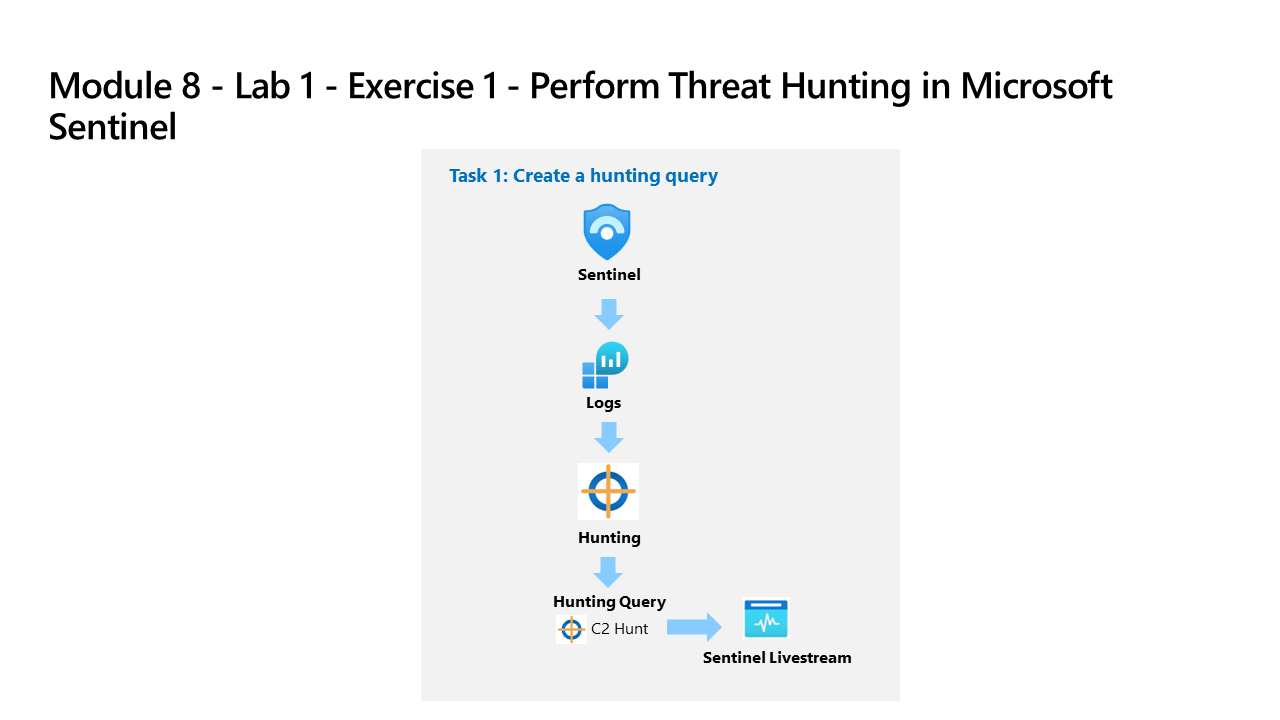
- Created a custom KQL hunting query targeting C2 DNS communication patterns
- Added the hunting query to Sentinel Hunting and ran it against collected log data
- Promoted the hunting query to a Livestream to monitor for new matches in near real time
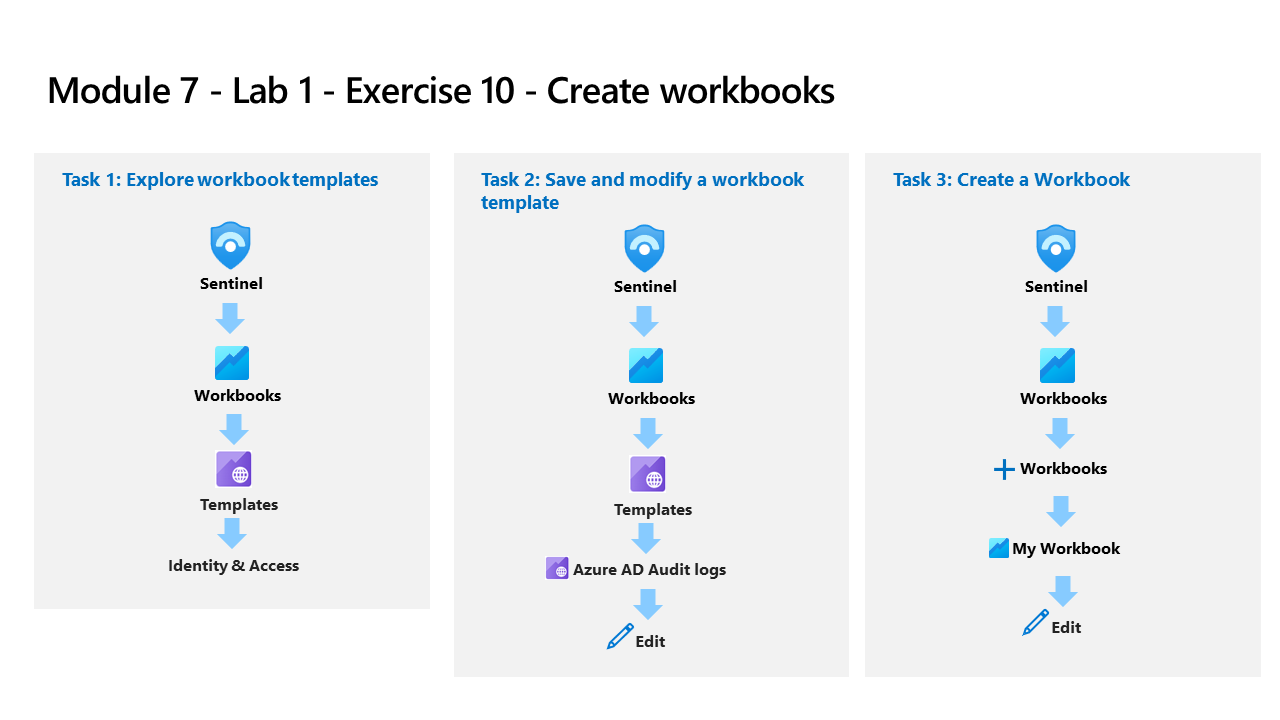
- Explored Sentinel workbook templates and browsed the Identity & Access category
- Saved and modified an Azure AD Audit Logs workbook template with custom parameters
- Created a new custom workbook from scratch using the Sentinel workbooks editor
- Opened a Jupyter notebook in Sentinel and connected it to the Log Analytics workspace
- Ran notebook cells to investigate threat hunting data programmatically using Python and KQL
- Completed Microsoft Learn threat hunting setup and hunt-for-threats exercises using Sentinel
Environment: Employer-provided Azure subscription (resources deleted after lab).
Source Material
Completed using Exercise 9: Workbooks, Lab 9 – Exercise 1: Threat Hunting, and Exercise 2: Notebooks from the SC-200T00A MicrosoftLearning GitHub repository; and Microsoft Learn exercises Threat Hunting Setup and Hunt for Threats in Sentinel. Completed in an employer-provided Azure subscription.