Challenge
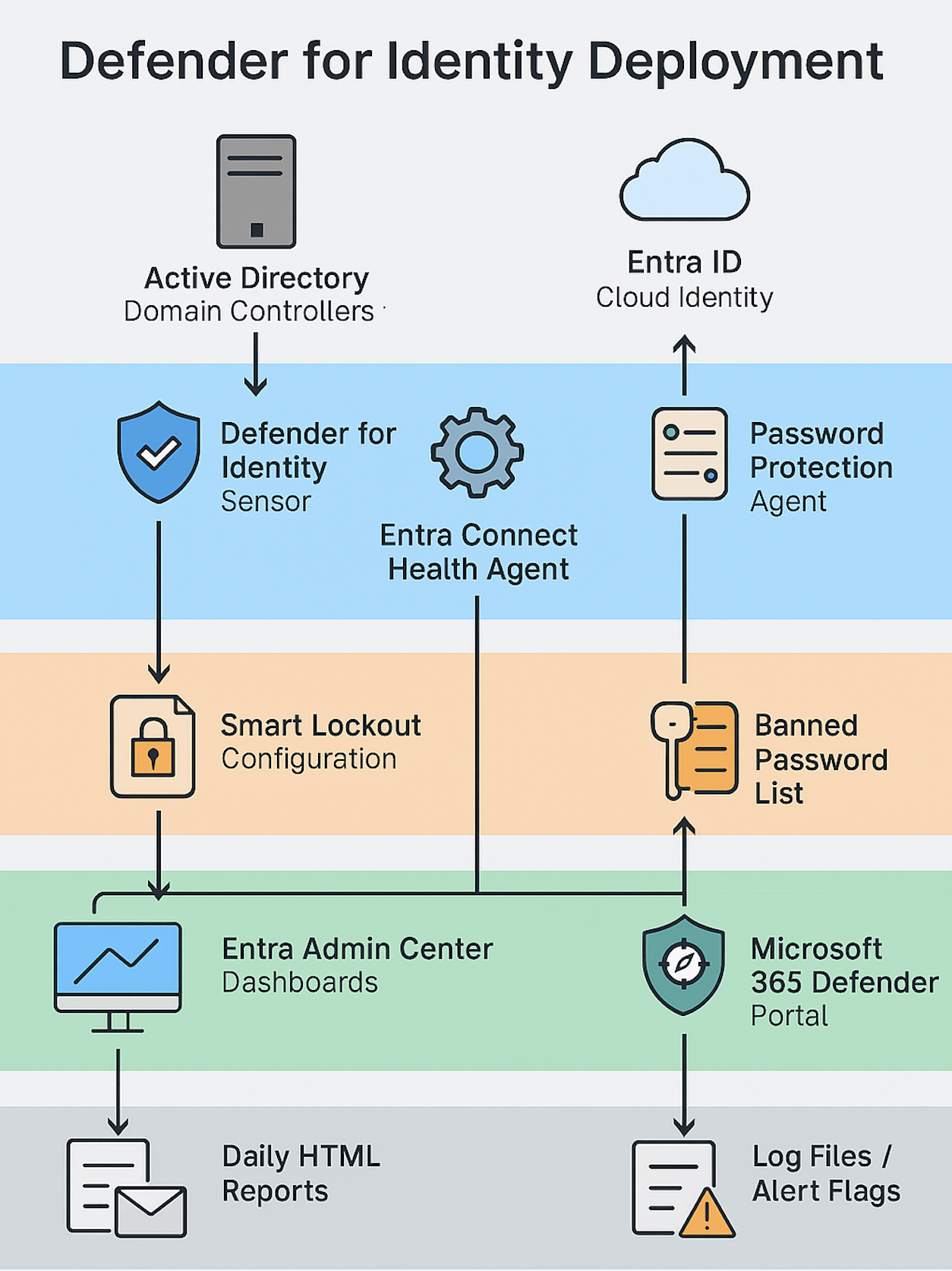
To strengthen hybrid identity security and gain centralized visibility into domain controller health, I deployed Microsoft Defender for Identity across the enterprise. This included sensor-based threat detection, password protection enforcement, smart lockout configuration, and Entra Connect Health for AD DS replication monitoring.
Tools & Technologies
- Microsoft Defender for Identity Sensors
- Microsoft Password Protection Agent
- Custom Banned Password List
- Smart Lockout Policy
- Entra Connect Health Agent
- Entra Admin Center
- AD DS (Windows Server 2012 R2 and above)
- Performance Counters & Alerting Blades
Implementation
- Installed Defender for Identity sensors on all domain controllers
- Verified sensor registration and alert flow to Microsoft 365 Defender portal
- Deployed Password Protection agent and configured banned password list
- Enabled Smart Lockout to mitigate brute-force lockouts and tuned thresholds
- Installed Entra Connect Health Agent on all domain controllers
- Enabled dashboards and alerts for replication, performance, and service status
- Grouped domain controllers by site for topological clarity
Architecture Diagram
Impact
- Proactive detection of identity-based threats across hybrid infrastructure
- Hardened password hygiene with banned password enforcement
- Reduced account lockouts via Smart Lockout intelligence
- Centralized visibility into AD DS health and replication
- Delivered executive-ready HTML reports for daily operational awareness