Challenge
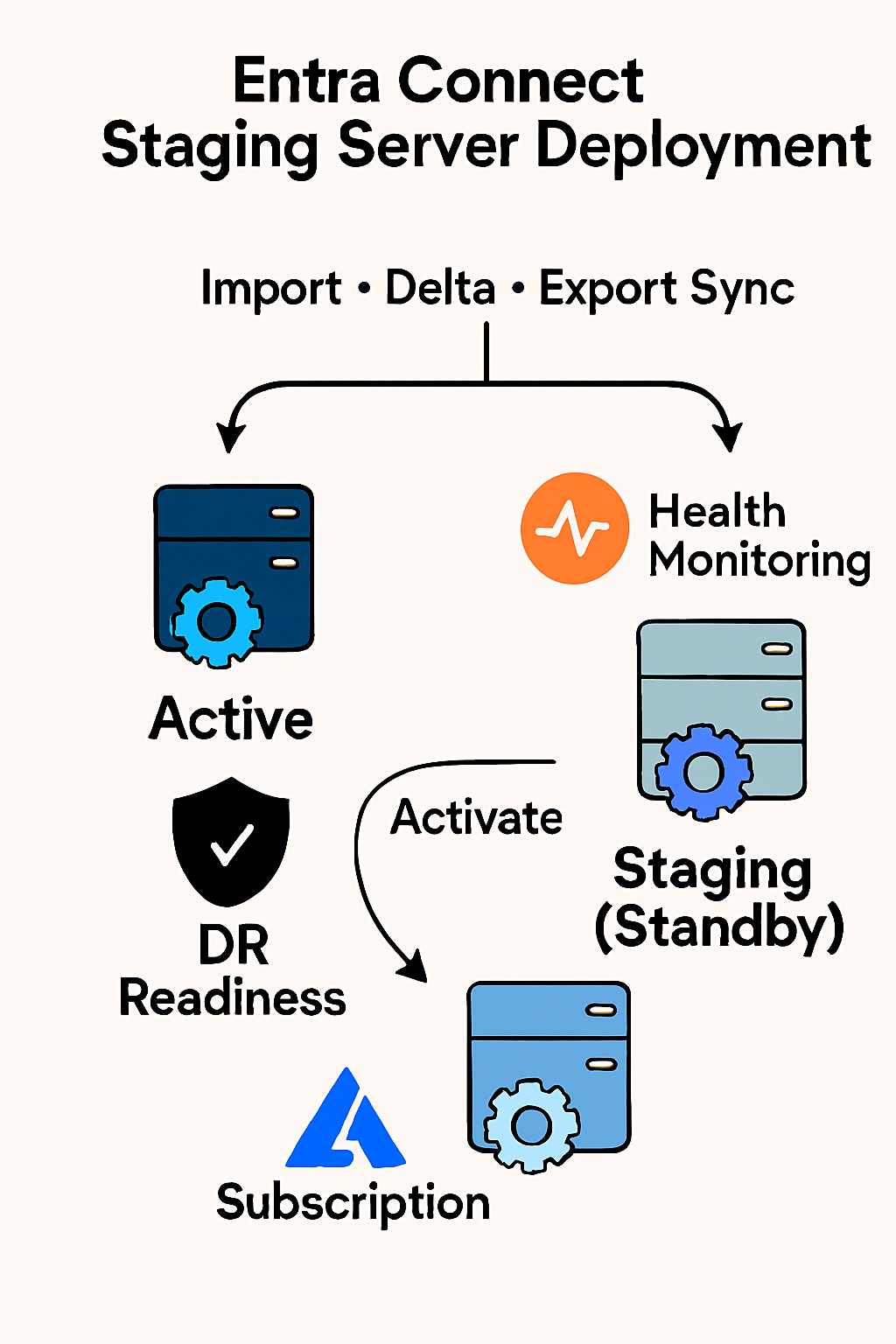
Microsoft Entra Connect was running on a single server, creating a risk of sync failure during outages or upgrades. The goal was to deploy a staging server to ensure high availability and enable seamless disaster recovery.
Tools & Technologies
- Microsoft Entra Connect
- Staging Mode Configuration
- Synchronization Service Manager
- Microsoft Entra Connect Health
- Disaster Recovery Planning
Implementation
- Followed Microsoft’s staging server deployment guide
- Provisioned a second server and installed Microsoft Entra Connect in staging mode
- Configured sync scheduler and verified full import and delta sync operations
- Ensured configuration parity between active and staging servers
- Validated export preview and failover readiness using CSAnalyzer and export logs
- Documented failover procedures and tested switch to active mode
Architecture Diagram
Impact
- Enabled high availability for hybrid identity synchronization
- Reduced risk of sync failure during outages or upgrades
- Improved disaster recovery posture with documented failover process
- Aligned with Microsoft’s recommended staging server architecture